
Search for "how to make a Telegram AI bot" and almost every result sends you to code. Install Python, get an API key, write a webhook handler, rent a server, keep it running. It works — but it's a project, not an afternoon. And for most people the goal was never "learn to code a bot." The goal was "have an AI bot in Telegram that actually does things."
There are two honest ways to make a Telegram bot like that: write the code yourself, or skip the code entirely. This is what each one really costs, and how the no-code path works.
The two ways to make a Telegram AI bot
Write it yourself. You take a library like python-telegram-bot, connect it to an AI model through an API, host the code somewhere that runs 24/7, and maintain it. Full control over every line — and full responsibility for servers, API bills, updates and downtime. This is the right path if you're a developer who wants a custom bot and enjoys owning the stack.
Use a no-code platform. You don't touch any of that. The platform already runs the server, holds the AI connection, and handles the Telegram side. You connect your own bot and start talking to it — every feature on your plan is ready to use, nothing to wire. This is the right path if you want a working AI assistant today, not a side project.
The rest of this guide is the second path: how to make a Telegram AI bot without writing a line of code, using VELA as the example.
What "without code" actually means
When people hear "no code," they assume something limited. Here it's the opposite: the heavy parts are simply done for you:
No server. You don't rent or configure anything. The platform keeps your bot online around the clock.
No API keys. You don't need an Anthropic or OpenAI account. VELA runs every bot on its own Claude AI connection — the model cost is part of the subscription, not your problem.
No maintenance. Updates, fixes and new features arrive on the platform side. Your bot keeps working without you patching anything.
What stays yours is the bot itself: your token, your @username, your private chat. It's not a shared bot that thousands of strangers also talk to — it's your own, created from your Telegram account.
Step by step: from zero to a working bot
The whole setup takes about five minutes and happens in two places: Telegram and the VELA dashboard.
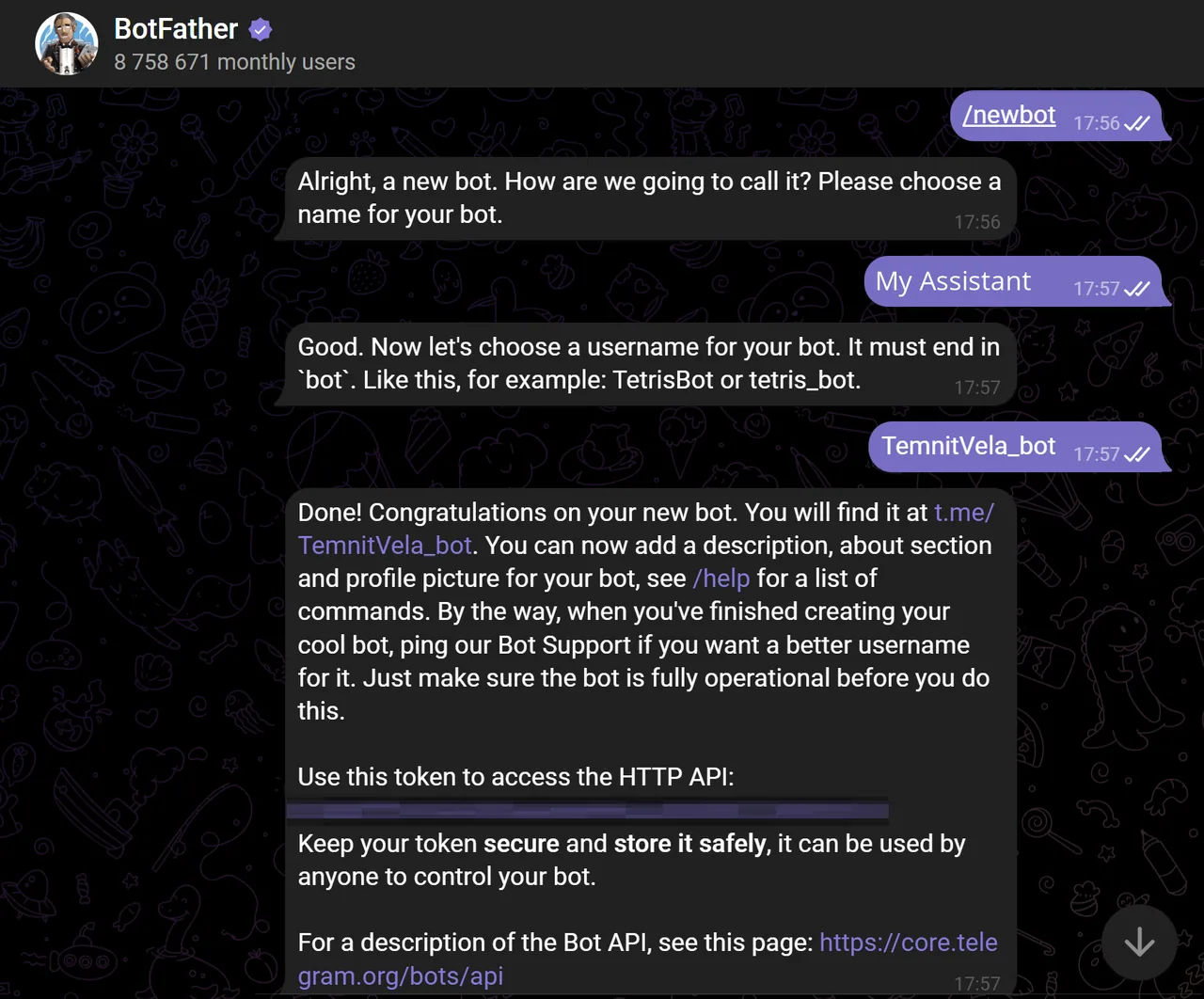
Create the bot's "shell" in Telegram. Open @BotFather — the official Telegram tool for making bots, and send the
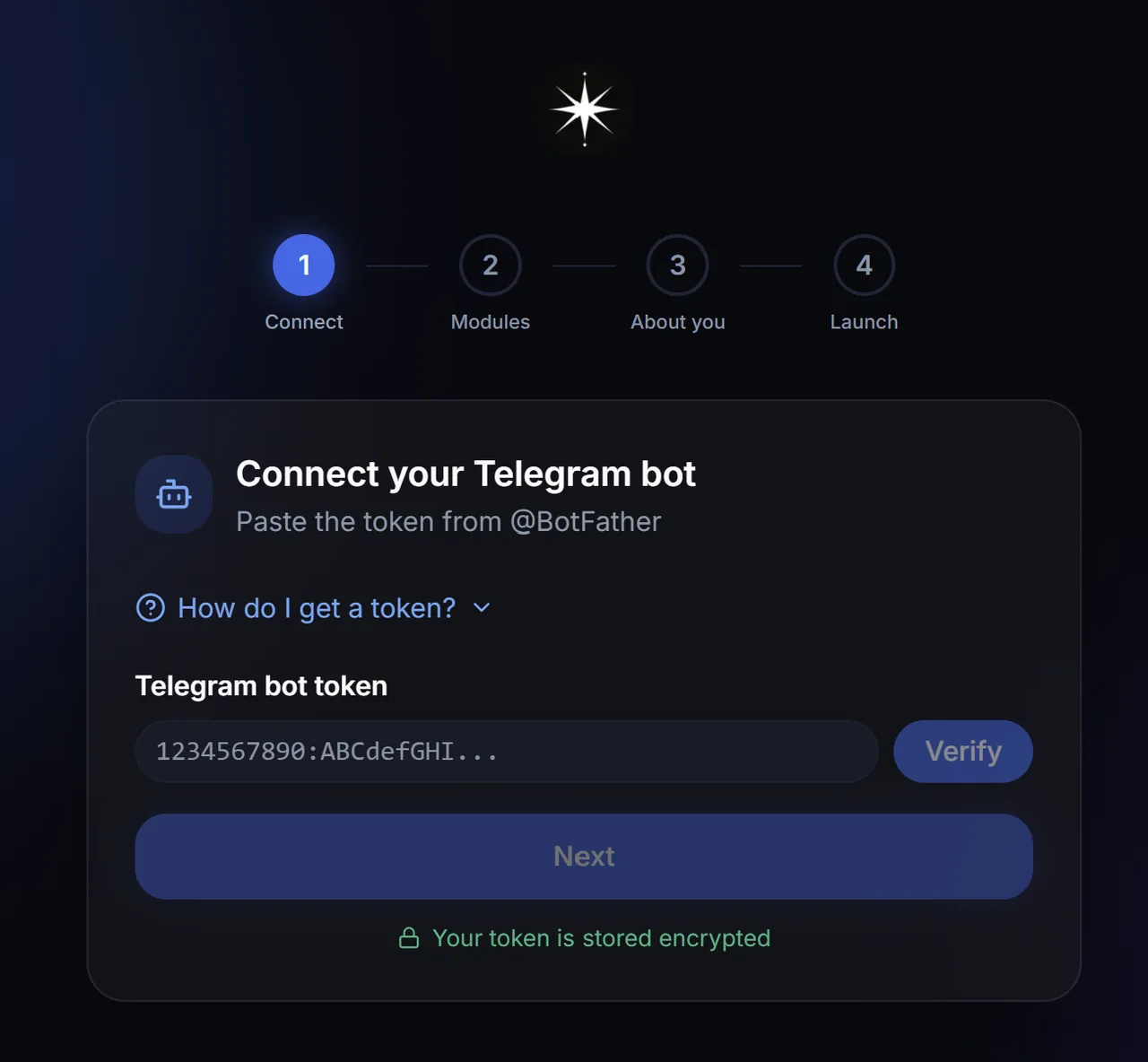
/newbotcommand. It asks for a name and a username, then hands you a token (a long string of letters and numbers). That token is the only technical thing you'll touch.Sign up on velabot.io and paste the token. The platform checks it instantly and links the bot to your account. No card required to sign up.
Set your preferences. Every feature on your plan is already on: weather, reminders, rates, search and so on. You just tell it a couple of basics like your city and base currency, which you can change anytime in the dashboard.
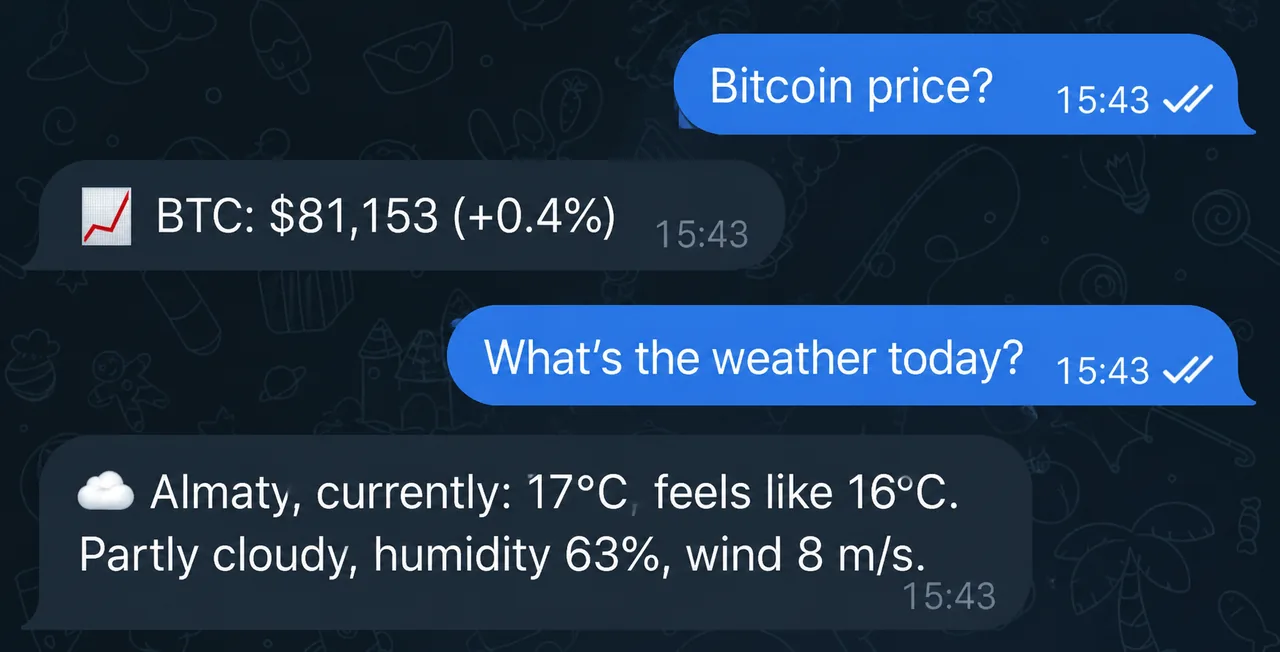
Start chatting. The bot is live in Telegram. Write to it in plain language — no commands to memorize, and it answers.
That's it. There was no code, no server, no API key. The hardest step was copy-pasting one token.
What your bot can do out of the box
A bot is only worth making if it does useful things. On VELA the features come as modules that are on by default for your plan. On the free Basic plan you already get:
Weather — current conditions and a forecast, by text or voice.
Reminders — "remind me in 40 minutes to call the doctor", including recurring ones.
Rates — currencies, crypto and stocks, plus indices, commodities and precious metals.
Web search — up-to-date answers without opening a browser. Drop a link and it reads the page.
Photo and document analysis — send an image or a PDF and ask about it.
Morning digest — weather, reminders and your chosen rates in one message every morning.
Long-term memory — it remembers your name, city and preferences between chats.
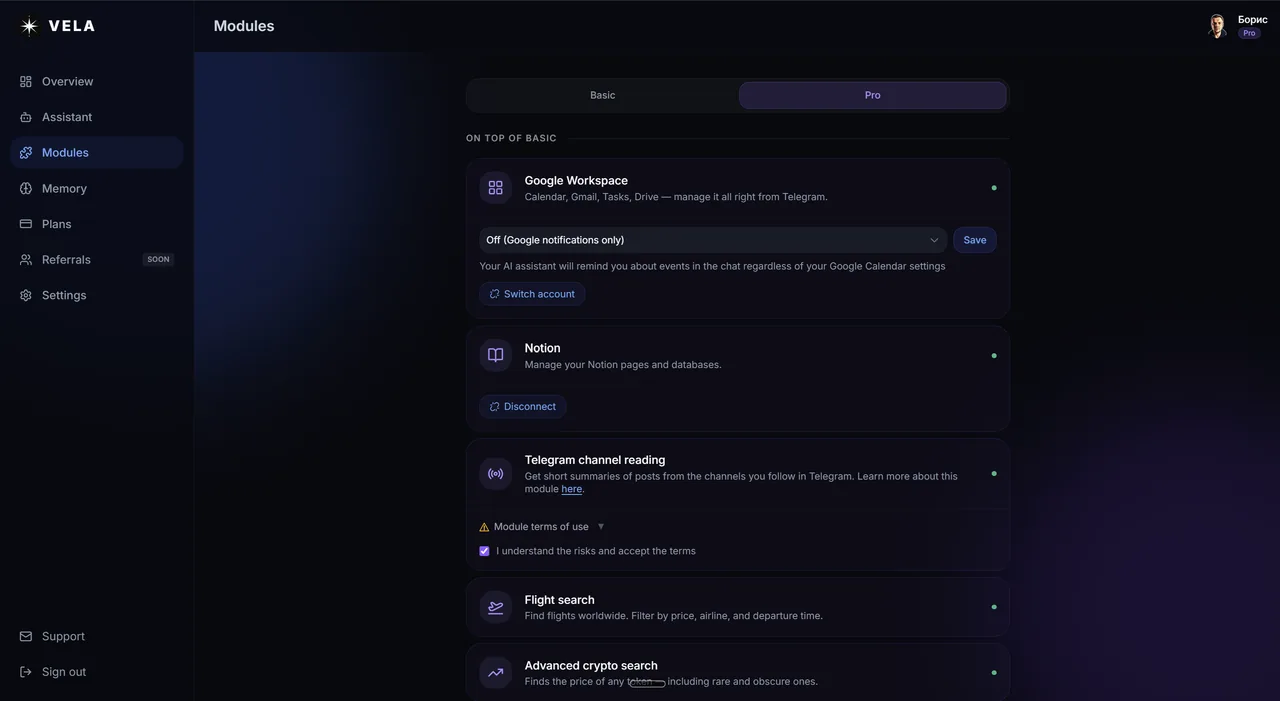
The Pro plan adds flight search, price alerts, advanced crypto search, image and video generation, reading Telegram channels, Google Workspace (Calendar, Gmail, Tasks, Drive) and Notion.
The point isn't the length of the list. It's that all of it lives in one chat, in natural language, without you wiring anything together.
The honest limits
No-code isn't magic, so here's where the trade-off is.
You don't get arbitrary custom logic. If you need a bot that follows a very specific business script, integrates with an internal CRM, or runs unusual automations, the code path gives you that freedom and the no-code path doesn't. VELA is a personal AI assistant, not a bot-building framework.
The feature set is what the platform offers. Every module on your plan is included, but you can't invent a brand-new module yourself. For most personal use that's a feature, not a flaw — you skip the part where you'd have to build and maintain everything.
If those limits matter to you, write the bot yourself. If they don't, the no-code path saves you weeks.
Free or paid
You can make a fully working Telegram AI bot for free. The Basic plan is $0, forever, with no card to sign up: it includes weather, reminders, rates, search, photo analysis, the morning digest and long-term memory, with up to 15 messages a day for the first two weeks, after that 5 a day.
The Pro plan is $12 a month (or $9 a month billed yearly) and removes the daily limit, extends the memory, and adds the heavier modules above. You can start on Basic and upgrade only if you hit the ceiling.
FAQ
Do I need to know how to code? No. The only "technical" step is copying a token from @BotFather and pasting it into the dashboard. Everything else is clicking and chatting.
Do I need my own AI API key? No. VELA connects every bot to Claude AI on its own keys. You never deal with Anthropic or OpenAI accounts or pay per request.
Whose bot is it? Yours. It's created from your Telegram account through @BotFather, with your own name and @username, and only you talk to it. It isn't a shared bot.
Is it really free? Yes — the Basic plan costs nothing and needs no card. Paid Pro only adds extra modules and removes limits.
Can I change what my bot does later? Yes. Every module on your plan is on by default — in the dashboard you adjust their settings (like your city or digest time) and connect integrations, and upgrading to Pro unlocks the heavier modules.