
A typical morning for many people starts the same way: check the weather, the prices of assets you follow (stocks, crypto, and so on), your tasks and events for the day. A few minutes spent pulling important information from different sources and places. It's tiring: you have to keep it all in your head and not forget anything.
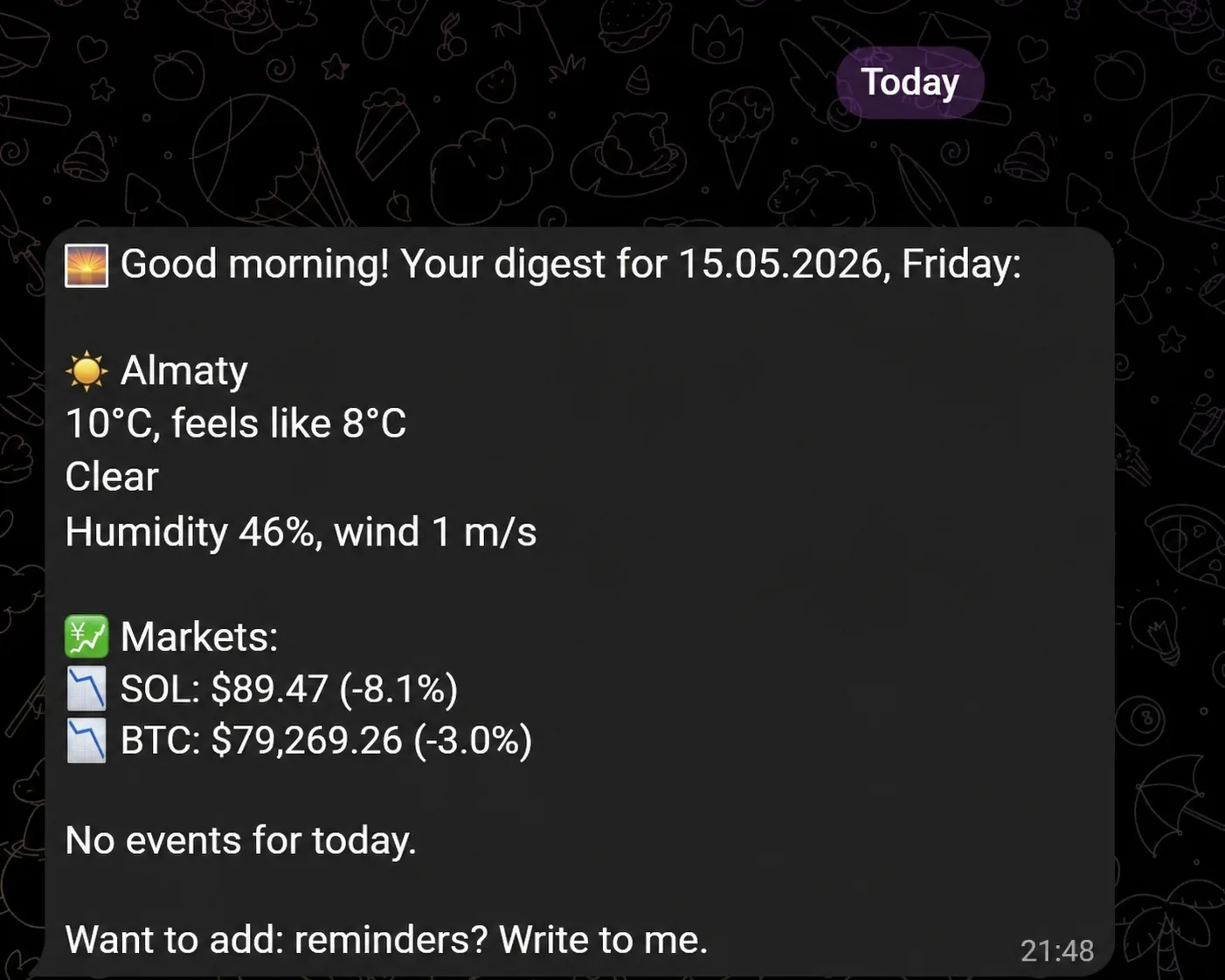
The Morning Digest module in VELA's AI assistant gathers all of it into a single message that arrives in Telegram at the time you choose. One chat: all the context you need in one place.
What the module does and which plans it's on
The digest works on both plans — Basic and Pro. The difference is in depth.
On the Basic plan it includes:
The weather in your default city
Your active reminders for today
Prices for up to five chosen assets: major cryptocurrencies, fiat pairs, stocks, market indices (S&P 500, NASDAQ, etc.), precious metals (gold, silver, etc.), and commodities (oil, gas, and more)
On the Pro plan, the digest adds today's Google Calendar events and Google Tasks. Up to ten assets instead of five, plus rare crypto tokens by contract address. It's a full morning brief, without a single app switch in the morning.
If you've connected the Telegram channel reading integration, you can also add a short 24-hour recap of all your channels to the digest, so in the morning you immediately see what mattered without opening each channel by hand.
Each plan has a limit on how many assets you can add to the digest: Basic, five, Pro, ten. If you try to add more than the limit, the AI assistant notices right away and says, for example: "You've hit the 5-asset limit on the Basic plan. To add more, upgrade to Pro."
Hidden assets only appear when you move from a higher plan to a lower one: say you were on Pro with ten assets and switched to Basic, the extras are hidden in the digest and won't show until you return to Pro.
How to set up the digest in the VELA dashboard
After signing up at velabot.io and connecting your Telegram bot via @BotFather, open the dashboard and go to the "Modules" section. Find the "Morning Digest" module card.
There's just one setting in the card: the "Digest time" field. For example, enter a time like 08:00 or 09:30, the AI assistant will message you at that time every morning. Click "Save."
Everything else is set up right through the AI assistant in Telegram, which is also handier than going back to the dashboard.
How to use it: commands through the AI assistant
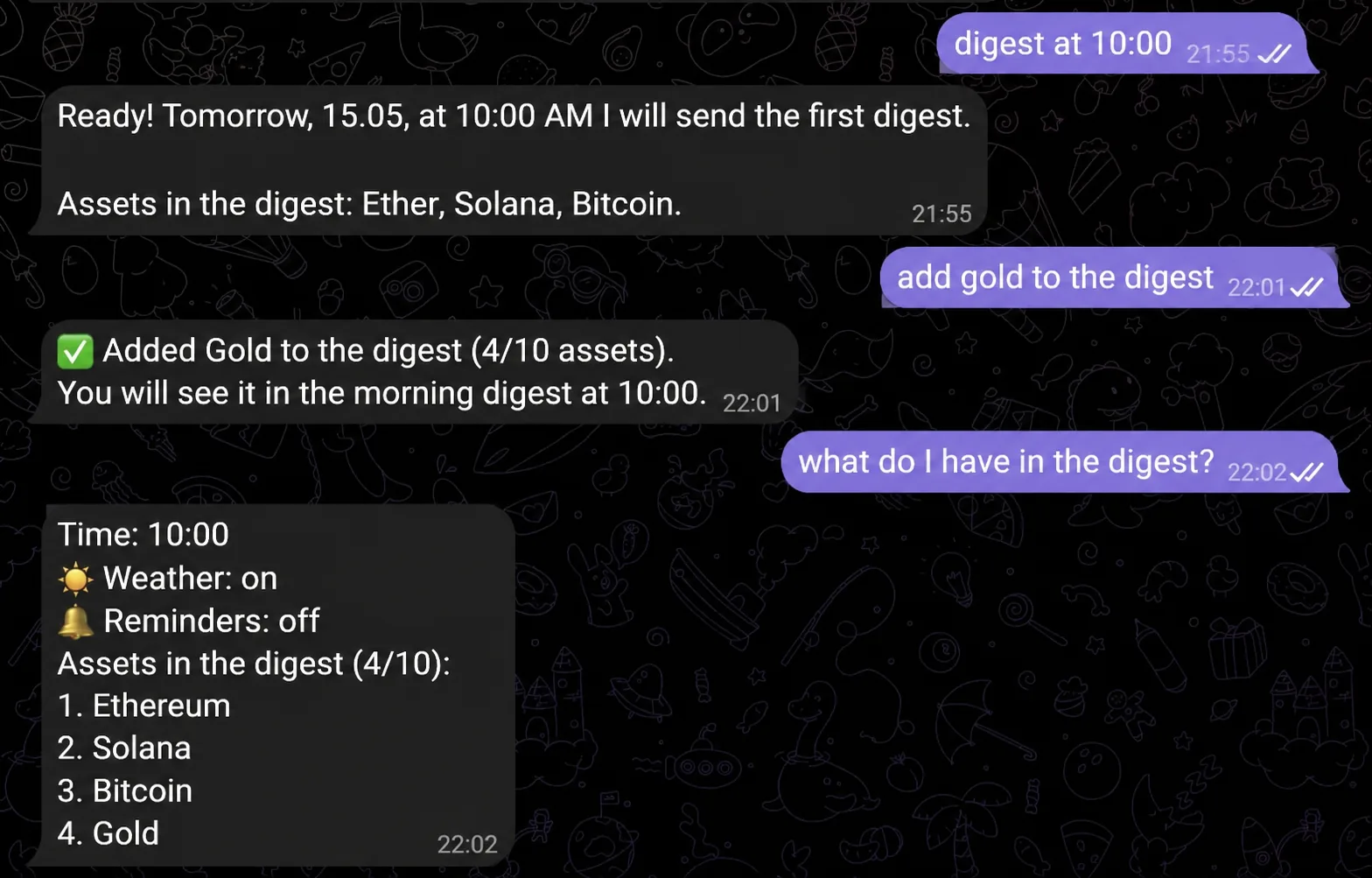
You build the list of assets in your digest yourself, just by talking to the AI assistant. No menus, no forms: just say what you need.
Add an asset:
"add bitcoin to the digest"
"add the US dollar to the digest"
"add gold to the digest"
"add the S&P 500 to the digest"
"add NVDA to the digest"
Remove an asset:
"remove gold from the digest"
"remove oil from the digest"
Manage weather and reminders in the digest:
"remove the weather from the digest"
"turn on reminders in the digest"
Change the time:
"set the digest to 7:30"
"move the digest to 9:00"
The AI assistant confirms each change and shows the updated digest.
By voice
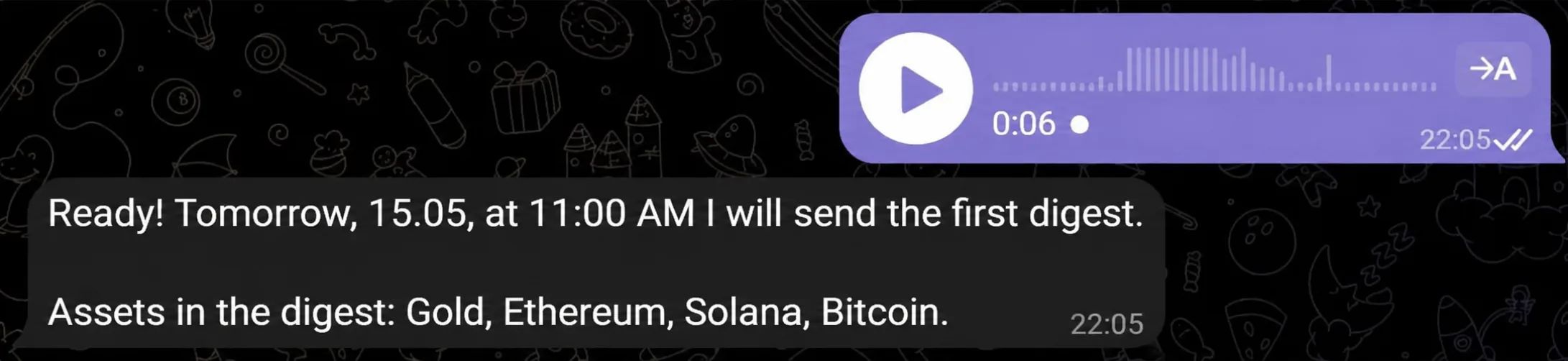
You don't have to type. The AI assistant recognizes voice messages and handles them just like text.
Send a voice note: "add ether to the digest" or "move the digest to eight in the morning", the AI assistant handles the request and replies in text. It works for any digest command: add an asset, remove one, change the time.
Handy when your hands are busy or you just don't feel like typing.
What the module can't do — honestly
So nothing catches you off guard:
Only one digest a day. You can't get a morning and an evening brief — only once, at the set time.
No news in the digest. Only financial assets and commodity prices, weather, reminders, and Calendar with Tasks (on the Pro plan). If you need news, ask the AI assistant to find it separately.
No Google Calendar or Tasks on Basic. Calendar events and tasks in the digest are Pro only.
You can't add more assets than your plan's limit. Basic — five, Pro — ten. Extras are hidden until you return to the higher plan.
More about the Reminders module — in a separate article.
Why it's easier
The familiar alternative for many: open different apps and sites to gather the information. A few steps and a bit of time every morning, it wears you down fast, and you can forget something.
With the morning digest: one message in Telegram at the right time. That's it. You just read it and start your day. The whole brief is always at hand.
If you want to understand why you'd even need an AI assistant and what it does beyond the digest: more in the overview of all VELA modules.
FAQ
What time does the digest arrive? At the time you set in your VELA dashboard or through the AI assistant with a command like "set the digest to...". By default, if no time is set, the digest doesn't arrive until you set a time yourself.
Can I get the digest for free on the Basic plan? Yes. The basic version of the digest (weather, reminders, up to five assets) is free on the Basic plan. No card required to sign up.
What if I'm in a different time zone? The time zone is set in the "Settings" section of your VELA dashboard. After that, the AI assistant sends the digest at your local time.
How do I add Google Calendar events to the digest? This is available on the Pro plan only. You need to connect your Google account through the VELA dashboard and add calendar events to the digest. After that, today's events appear in the morning brief.
Can I turn off individual parts of the digest — for example, remove the weather and keep only asset prices? Yes. Tell the AI assistant: "remove the weather from the digest" or "remove reminders from the digest" — and it adjusts the morning brief.