
A thought tends to arrive at an awkward moment: on the subway, on a walk, behind the wheel, in the middle of a workout or a conversation. You need to write it down right away, otherwise a few minutes later all that is left is the feeling that it was about something important. Usually people open a separate app for that, look for the right list or section, or turn to an AI like ChatGPT or Claude for a quick save. But if you live in Telegram anyway, there is a better and more convenient option for you.
Notes in Telegram inside the VELA AI assistant cover the same job faster, right in the chat with your personal helper. You write an ordinary phrase to the AI assistant in any wording, and the entry lands in a separate numbered list (the Notepad), which the AI assistant shows you later and clears on request. The Notepad module is available on both plans: Basic (the free plan) and Pro. There is no new app to install, Telegram is usually already on your phone and you use it all the time.
What the Notepad module can do
A note is created right in the chat, there is no separate screen, commands or buttons: everything happens by text or voice, the same way as in the reminders module. There is nothing to configure in the dashboard either, the module works right after you sign up and connect your bot to the platform.
Notes in the notepad work like this:
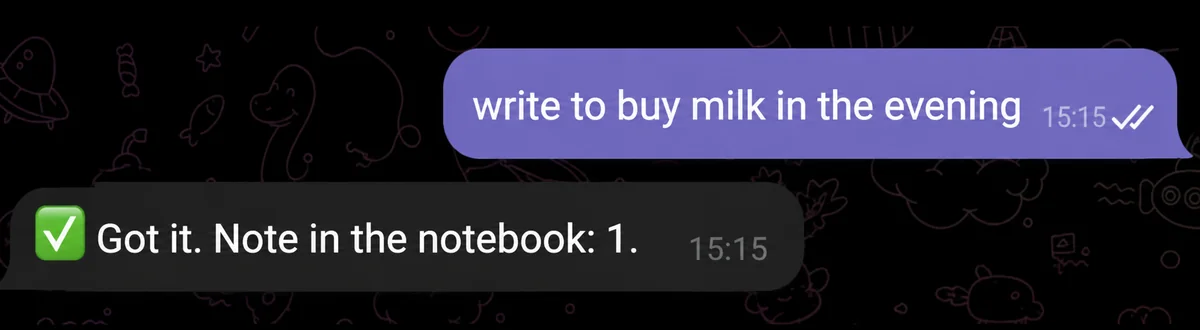
Save a thought or a list item. "write down buy milk tonight", "add bread and pasta to the list", "note an idea for a video about marketing".
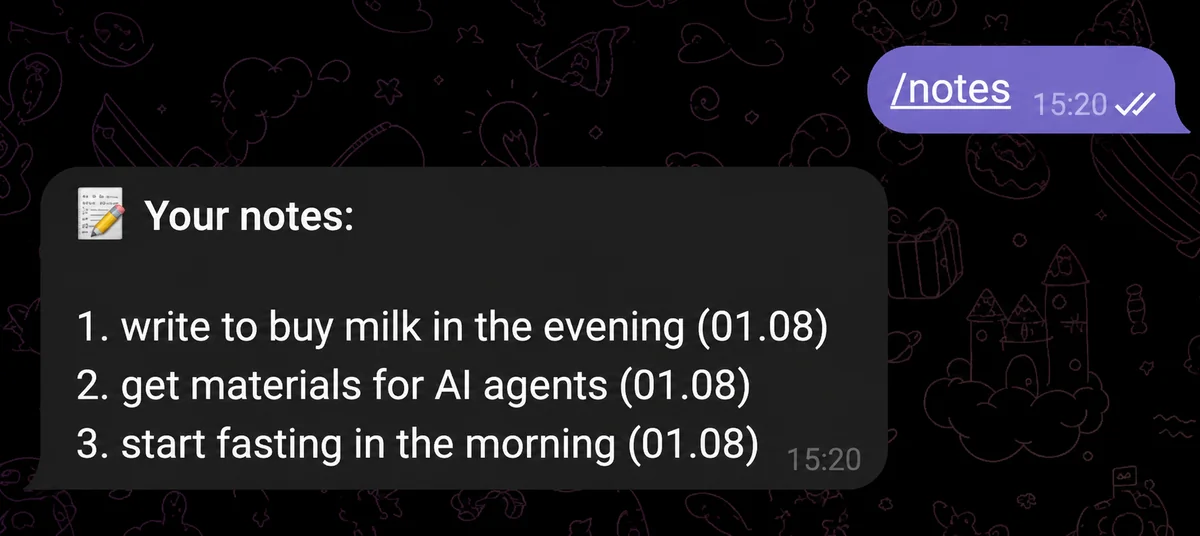
See the whole list. "show me what's in my notepad" or the /notes command from the AI assistant menu.
Delete one entry by number ("delete note 2") or by words from its text ("remove the one about milk").
Delete several at once. "delete 1 and 3", "the first two are done", "cross off milk and bread": the AI assistant removes them in one go and separately lists whatever it could not find.
Clear the notepad completely. "clear the notepad", "delete all notes".
The text of a note is stored word for word, exactly as you dictated it. The AI assistant does not retell your note in its own words and does not rewrite your wording: what you passed on is what sits in your list.
If several entries match your description, the AI assistant shows them and asks for the number instead of guessing.
How many notes fit: limits by plan
On the Basic plan the notepad holds up to 20 entries. On the Pro plan there is no limit on the number.
The length of a single note on both plans is up to 300 characters. That is a deliberate limit. The notepad is for short entries and quick notes, not for documents or long texts, so a long voice message will not fit into a note and the AI assistant will ask you to put the thought more briefly or split it into several entries.
If you have many entries, the output does not break: the AI assistant shows as many as fit into one Telegram message and adds how many are left.
The notepad module costs nothing extra and needs no external services connected. It only spends a regular message from your daily limit (on Basic that is 15 messages a day for the first two weeks, after that 5 a day). The module runs on the Claude Haiku model on both plans: recognizing "write down", "show", "delete" and the like and passing the text on word for word does not need a heavy model, while replies arrive in the chat fast.
How to save a note in Telegram: example requests
There are no slash commands to learn except one: /notes in the AI assistant menu. Phrase it the way you would to another person:
"write down: call the service center about the warranty"
"add pick up the parcel from the pickup point to my notepad"
"note the tire size 205/55 R16"
"show my notepad"
"delete the third note"
"clear the notepad"
Notes have no separate "done" status: a completed entry is simply deleted. The phrases "done", "finished", "completed" are understood by the AI assistant exactly as a request to remove the entry from the list.
One more detail worth knowing: the /clear command wipes the conversation history and the memory of past conversations, while the notepad stays where it was.
Notes by voice
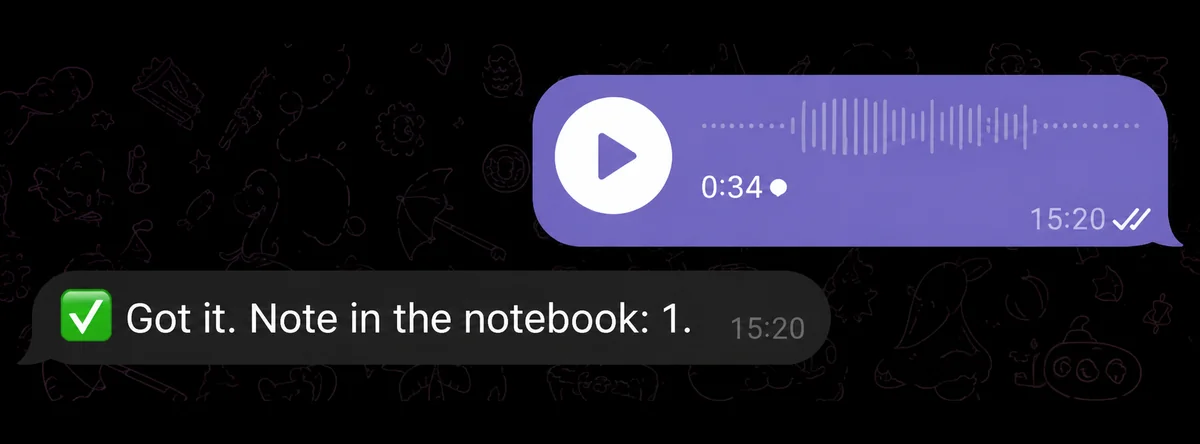
Typing is optional. Dictate a message into the chat and the AI assistant transcribes your speech and sends the text into a note the same way as an ordinary message.
This is the main scenario for the notepad module: when you are driving, walking, standing in a queue or out for a run. You said "note an idea, make a post about the June sale week", and the thought is saved and will not be lost.
The only limit is the same one: a transcript of a long monologue over 300 characters will not fit, and the AI assistant will ask you to put the thought more briefly.
How the notepad differs from reminders and memory
Three neighboring features are easy to mix up, although they solve different jobs.
The notepad keeps arbitrary entries and fills up only on your direct request. A note has no time, no due date and no status.
Long-term memory keeps facts about you: your name, city, job, preferences and so on. It fills up on its own or from what you provide (in the dashboard or through the /about command in the AI assistant menu), and those facts are then used in conversation.
Reminders are tied to time: the AI assistant messages you at the right moment. If you ask it to "add a reminder to the notepad", the assistant explains the difference and offers to set a reminder separately.
Notes live in the platform database, and their text is encrypted with the same key as long-term memory. They are not used to train models and are not shared with third parties.
What the module does NOT do
Knowing the boundaries in advance saves you from false expectations.
No due date and no status. A note is plain text: no deadline, no "done" checkbox, no priority.
A note longer than 300 characters will not be saved on either plan.
Files, photos, screenshots and voice messages do not go into the notepad, it holds text only. In response to such a request the AI assistant says that files are saved to your Google Drive (available on the Pro plan).
No buttons and no separate screen. Adding, showing and deleting all happen in words in the chat.
If you need a more complex structure (databases with fields, nested pages, documentation), that is a different class of task, and the Notion integration on the Pro plan is what helps there.
Why this beats a separate app
The point of the notepad is speed. A spontaneous thought does not live long, and you have to capture it somewhere within that time. One phrase in the messenger you are already chatting or working in takes less effort than finding the right app and the right list inside it.
FAQ
Are notes saved on both plans? Yes. The Notepad module is available on both plans: Basic (the free plan) and Pro. The only difference is the number of entries: up to 20 notes on Basic, unlimited on the Pro plan. The length of one note is the same, no more than 300 characters.
What happens if I delete the conversation history? The notepad survives. The /clear command wipes your chat history and the memory of past conversations, but notes are stored separately and do not disappear.
Can I mark a note as done without deleting it? No, entries have no separate status. A completed note is a deleted note: say "done" or "delete the second one", and it leaves the list for good.
How do I delete several entries at once? In one phrase: "delete 1 and 3" or "milk and bread are done". The AI assistant removes everything it found and separately tells you what was not in the list.
How is the notepad different from long-term memory? Memory remembers facts about you (name, city, job, hobbies, profession and so on) on its own and brings them into conversation, or you fill it manually in the dashboard or through the AI assistant menu. The notepad fills up only on your request and keeps any entries you put there, and that data is not used in future conversations for personalized replies.