
Open a separate app, find the right screen, type the text, set the time — then go back to whatever you were doing. All for a single reminder. It's a familiar routine most people repeat several times a day.
VELA's AI assistant handles all of that with a single message in Telegram. There's no app to switch to: you type or dictate, and it reminds you at the right time.
What the module can do
The module is available on every plan, including the free Basic plan. No card required to sign up.
What you can ask:
Remind you after a set interval: "remind me in 30 minutes to call the doctor", "in 2 hours to take my medicine", "in a week to check my email"
Remind you at a specific time today or tomorrow: "remind me at 6 PM to call the doctor", "remind me tomorrow at 9 AM to prepare the report"
Recurring reminders: "remind me every day at 9 AM to take my vitamins", "every Monday at 10 AM, team call", "every other day at 8 PM, pills"
Remind you on a specific date: "on May 15 remind me about taxes", "the day after tomorrow remind me to check my email"
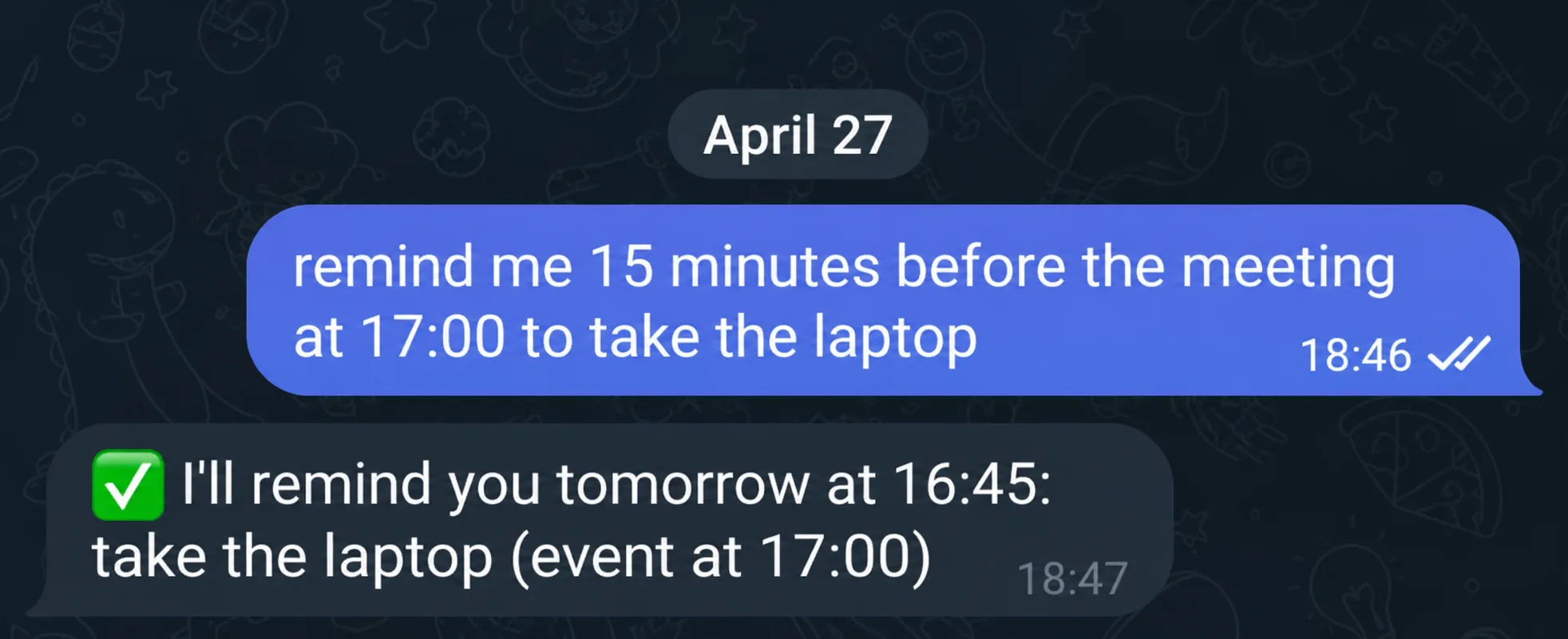
Remind you N minutes before an event: "15 minutes before my meeting tomorrow at 5 PM, remind me to grab my laptop"
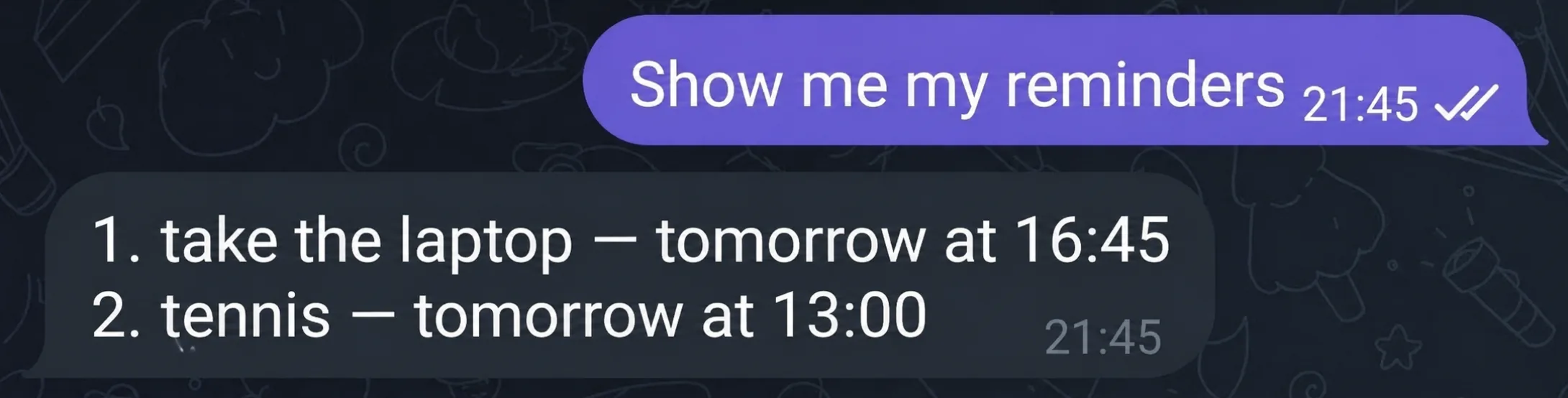
Show the list of active reminders
Delete one reminder by part of its text ("delete the reminder about the call") or by its position after showing the list ("delete the second one")
Delete several reminders in one message ("delete the reminders about the call and the meeting")
Delete all reminders at once
At the set time, the AI assistant messages you in Telegram itself — as text, with the exact reminder you asked for. And you can get all of today's active reminders automatically every morning in the morning digest.
How to set it up
The module works the moment you connect your Telegram bot to VELA — no separate setup required. You can start using it right away.
The AI assistant detects your time zone automatically. If you change locations often or work with colleagues in another region, it's better to set it once in your VELA dashboard, in the general settings.
How to use it: example requests
The AI assistant understands natural language — no commands or syntax to memorize. Type or send a voice message in plain words.
A few real scenarios:
You're in a meeting and need to remember a call: "remind me in 40 minutes to call Dmitry"
In the morning you don't want to forget an evening task: "remind me at 7:30 PM to pay the bill"
An important day is coming up: "on May 13 remind me to wish Asel a happy birthday"
You need to get ready before a meeting: "20 minutes before 3 PM tomorrow, remind me to print the contract"
Once you set a reminder, the AI assistant confirms it — it repeats back what it saved and when it will remind you. If it understood something wrong, just send a correction and it fixes it on the spot.
To see your active reminders: "show my reminders". To cancel a specific one: "delete the reminder about the call" or "cancel the second one". To clear them all: "delete all reminders".
By voice
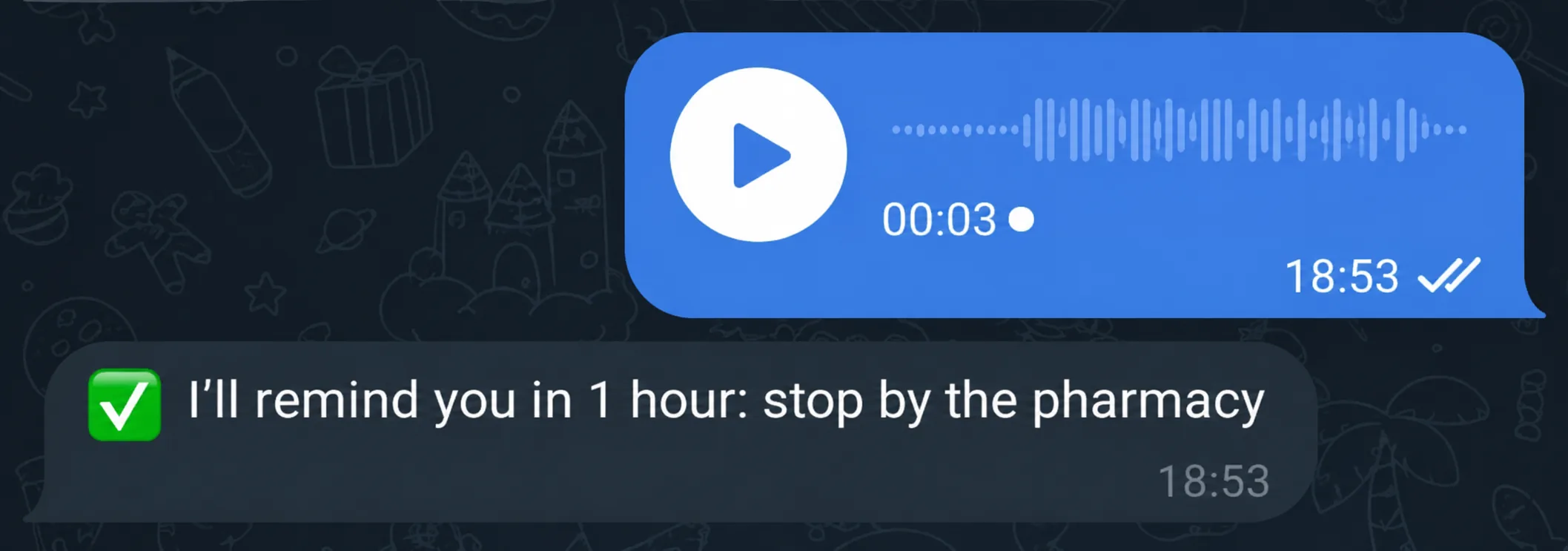
You don't have to type. You can dictate a request as a voice message — the AI assistant transcribes the audio and does the task exactly as if you'd typed it.
A practical case: you're driving, hands busy. You just send a voice note — "remind me in an hour to stop by the pharmacy" — and that's it. An hour later, the AI assistant reminds you.
Speech recognition works on every plan, including Basic. Quality doesn't depend on your plan — your voice is transcribed and passed to the AI assistant as text.
What the module can't do
Honestly, about the limits.
No location-based reminders. "Remind me when I'm near the pharmacy" won't work. Time only, not place.
Calendar events are a separate module. Reminders and Google Calendar events exist independently. If you want the AI assistant to remind you about calendar events, connect the Google Workspace module (available on the Pro plan).
On Basic — up to 5 active reminders. Ones that have already fired free up space. On Pro — no limit.
On Basic — a one-time reminder up to 7 days ahead. On Pro — no date limit.
One chat instead of five apps
Reminder apps and the standard alarm clock are fine, but they share one drawback — they're separate apps with their own interface.
For most people, Telegram is open all the time. Messaging the AI assistant is a single step, with no context switch and no extra screens. The reminder is set in seconds, and you're straight back to what you were doing.
It's this simple principle — one chat for everything — that makes VELA's AI assistant something people actually use every day, instead of installing it and forgetting it.
FAQ
Do I have to pay to use reminders? No. The Reminders module is included in the free Basic plan. No card required to sign up. It's available as soon as you connect your Telegram bot to VELA.
What if I give a time without a time zone? The AI assistant will try to detect your time zone automatically. But it's more reliable to set it explicitly in your bot's general settings in the dashboard — then "at 6 PM" is always read correctly.
Can I set reminders several days ahead? Yes. You can ask to be reminded in a week, on a specific date, or the day after tomorrow. On Basic, a one-time reminder can be set up to 7 days ahead; on Pro, there's no date limit. Recurring reminders are supported too: every day, every week, on a specific weekday, every N hours or days.
What if I don't give a day? By default, the AI assistant sets the reminder for the current date. If the time you gave has already passed today, it automatically moves it to tomorrow. To avoid ambiguity, state the day explicitly: "tomorrow," "the day after tomorrow," or a specific date.