
You know the feeling: a ninety-second voice message lands in your chat while you're in a meeting, on a noisy train, or somewhere you just can't turn the sound on, and you need the gist right now. In the moment it's a hassle. With VELA's AI assistant in Telegram you can turn that voice message into text: forward the audio to your assistant and get the transcript back in the same chat a few seconds later.
It works both with your own recordings and with voice messages other people send you. And here's the interesting part: once the text is in the chat, you can keep working with it.
When a voice message is easier to read than to hear
Voice messages save time for the person recording them. For the person on the receiving end — not always. Especially when they pile up and each one runs a minute or more.
At work it's awkward to play audio out loud next to colleagues. On the move, background noise means replaying the same clip three times. Late at night, with everyone asleep, you can't listen either. And sometimes someone rambles on at length, and it's faster to skim the text than to fish out the point by ear.
In all of these, a transcript solves it. You can read the text silently, fast, anywhere, and get what it's about right away.
How to turn a voice message into text in Telegram
It all happens in your private chat with the AI assistant. If the voice message came in another chat, tap it, choose "Forward," and send it to your assistant. It recognizes the speech and returns the text right there.
To get a transcript specifically, the voice message has to be forwarded, whether it's someone else's or your own. If you instead record a voice message directly in the chat with the assistant, it won't show you the text. It'll act on what you said as a request: say "remind me tomorrow to call mom" and it sets a reminder, ask for the weather by voice and it answers. That's handy when a thought is easier to say out loud than to type: driving, on the go, standing in line, and so on.
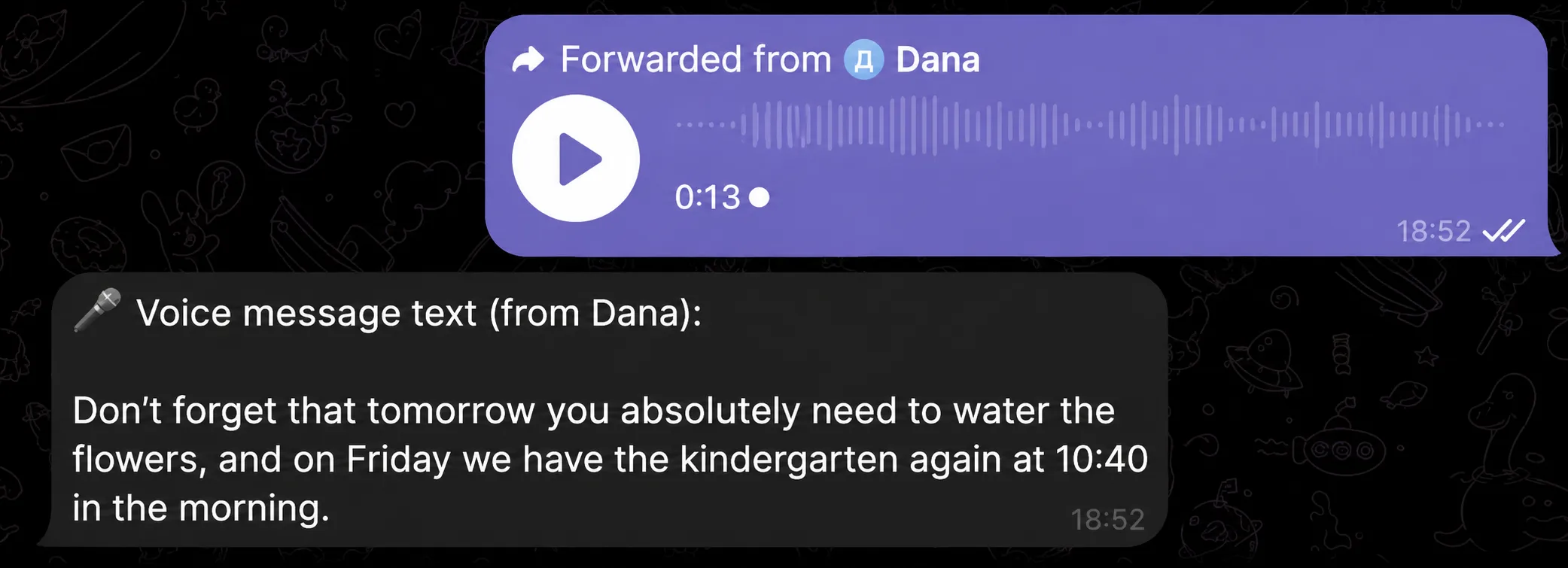
Recognition runs on the Groq Whisper engine. It's the same technology the assistant uses when you ask it questions by voice, checking the weather or searching for something, say. The emphasis here is just different: not to act on the audio, but to get the exact text of what was said in it.
What to do with the text right after transcription
This is the key difference from ordinary transcription bots. The transcript isn't the finish line — it's the start of a conversation.
The voice message has become text, and now the assistant sees it in the context of the chat. From there, a single line gets you whatever you need:
"summarize the main points" — when the message is long and rambling
"translate it to English" — when it's dictated in another language
"list what I need to do" — when the voice message spelled out tasks
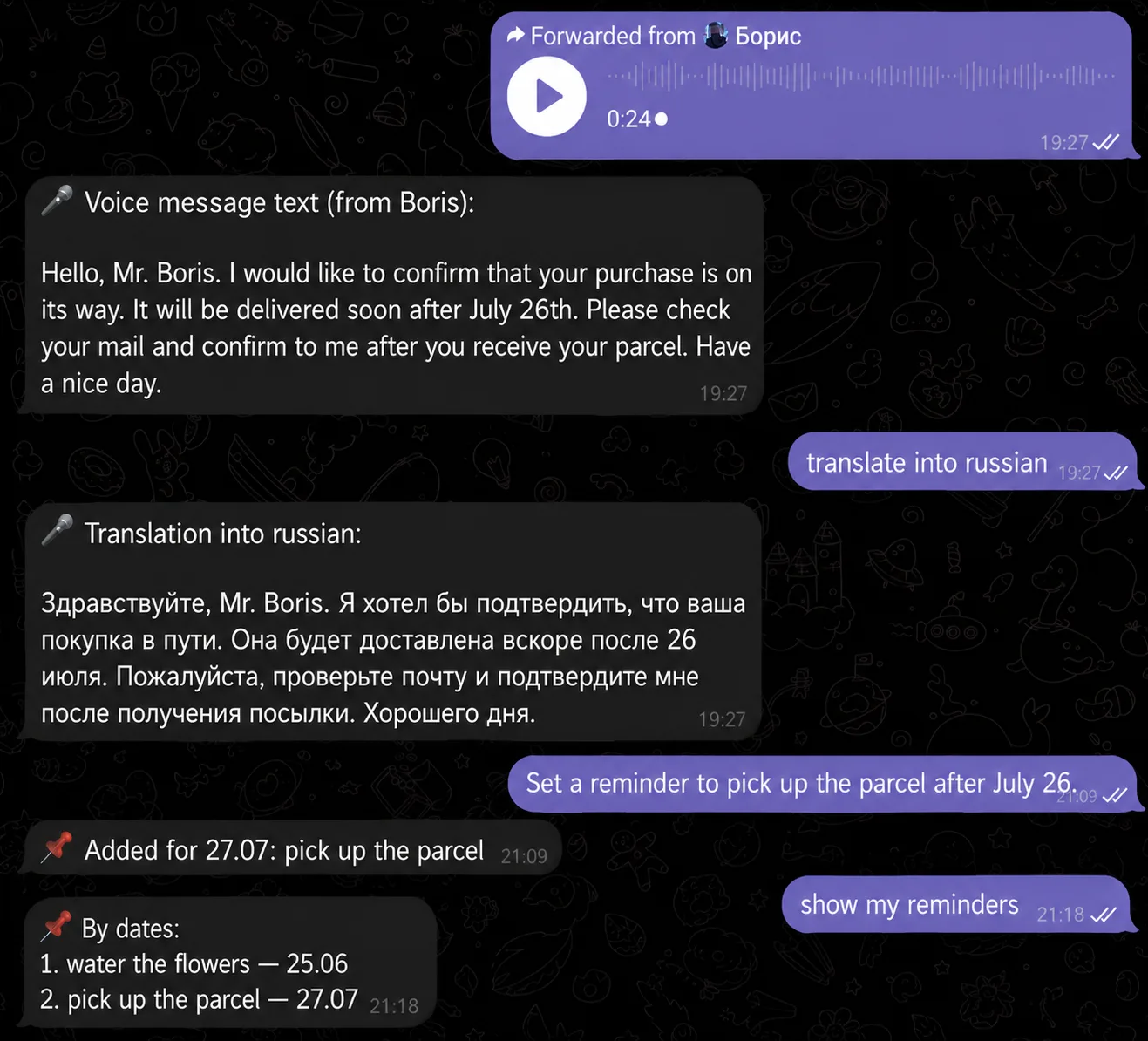
"set a reminder for..." — when there was an agreement about something in the speech
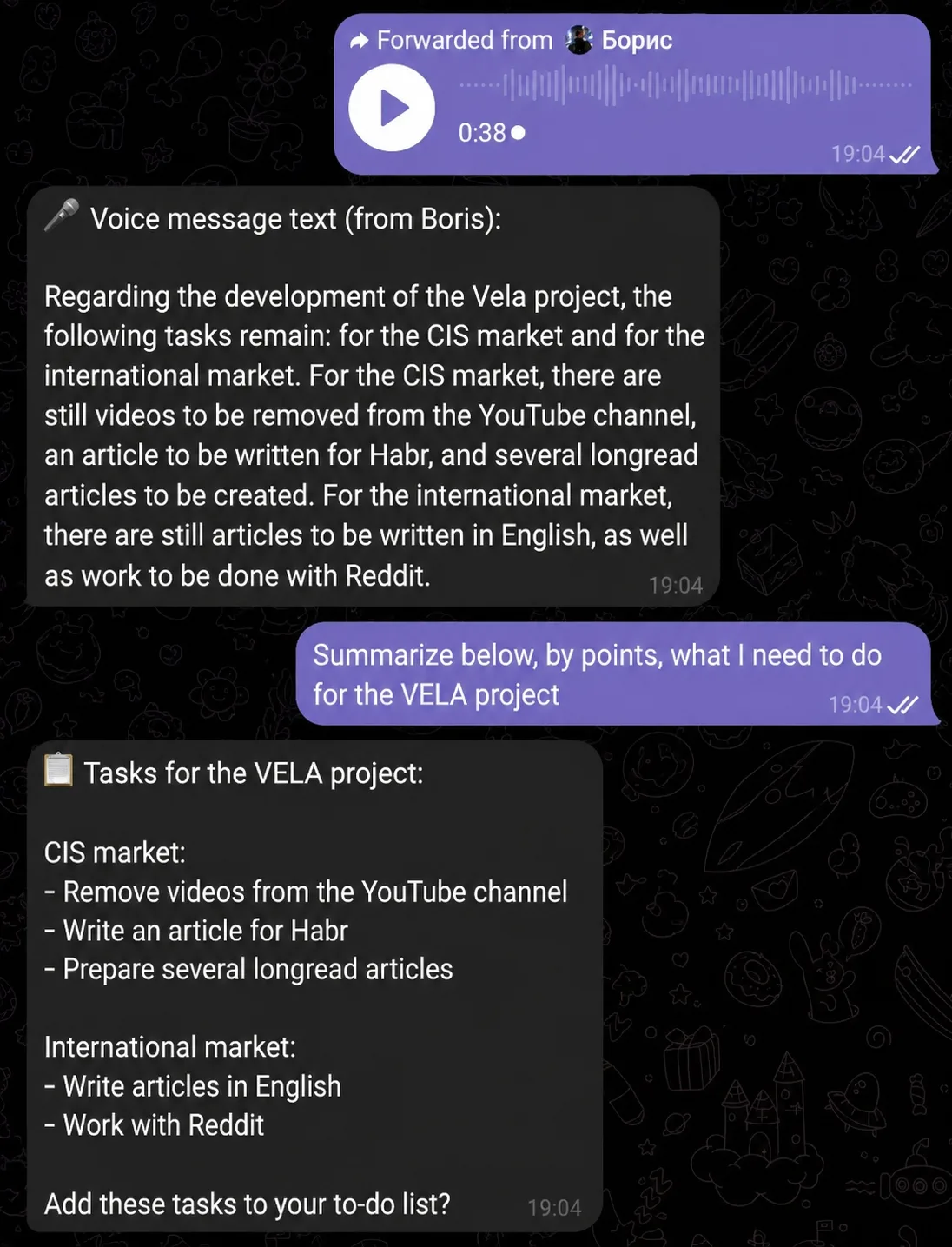
The context sticks, so you can follow up and refine. Say you transcribed a colleague's voice message, asked it to pull out the tasks, then, "remind me about the first one tomorrow at 10:00." All in one chat. We covered how reminders in the AI assistant work separately.
A voice message in any language — transcribed and translated
The AI assistant detects the language of the speech on its own: English, Spanish, Chinese, Korean, Japanese, and dozens more. Nothing to set up in advance: forward the audio, get the text in the language it was spoken in.
This is a lifesaver when you work with people abroad. A partner sends a voice message in their language, you forward it to the assistant, get the transcript, and with the next line ask it to translate into English and break it down point by point.
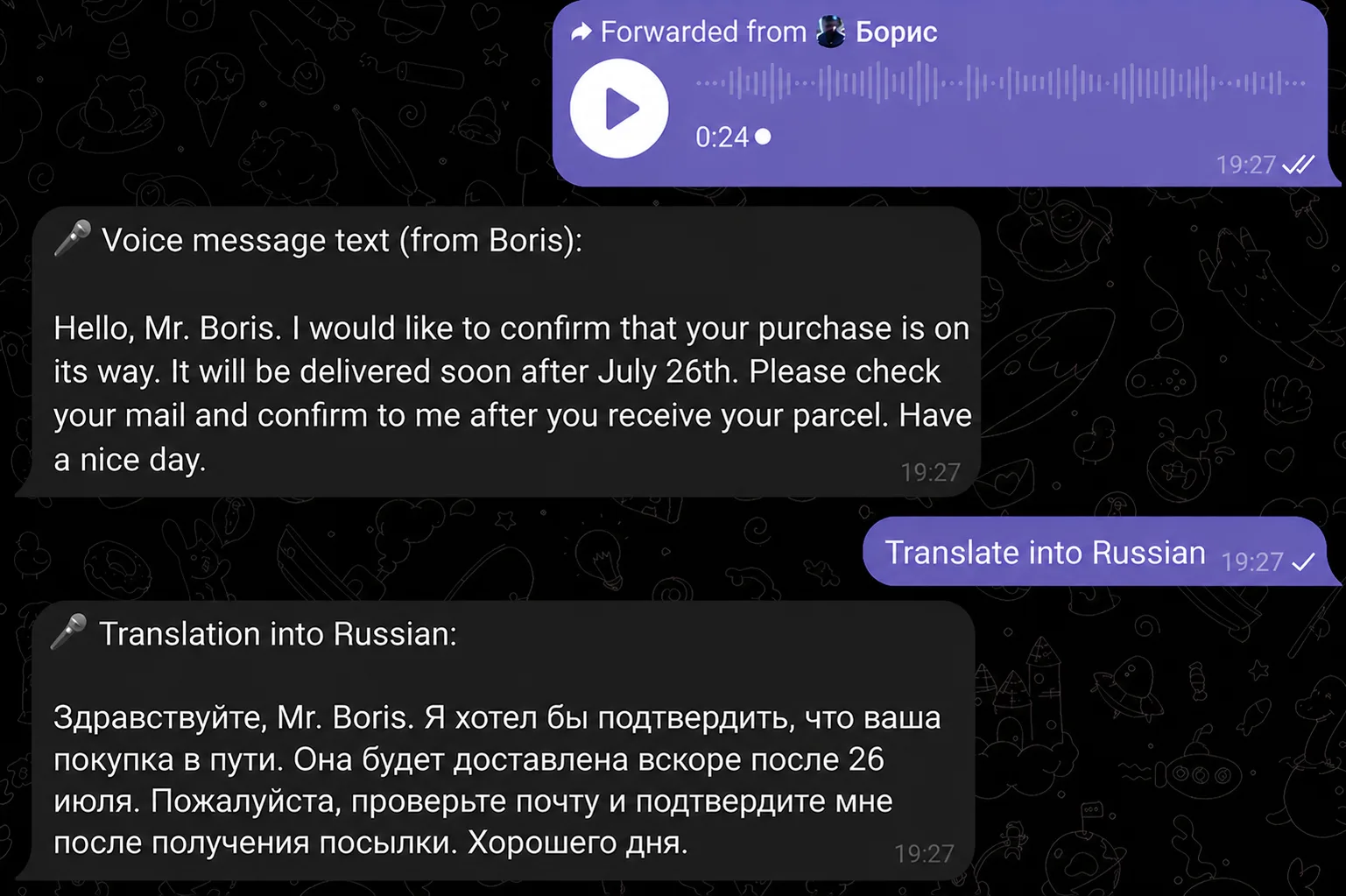
It works the other way too. Dictate a message in your own language and ask it to "translate to Chinese", the assistant hands back ready text in Chinese that you just forward to your partner. For translators, anyone running an international business, or frequent travelers, this saves time: no separate app for recognition and another for translation. It's all one conversation.
What the AI assistant doesn't do with audio
Straight about the limits. The assistant transcribes voice messages — that's what recognition is built for. Voice calls, video, and music it doesn't process.
Each voice message counts as one message from your daily limit. On the free Basic plan that's 15 messages a day for the first two weeks, after that 5 a day, if you transcribe audio heavily and hit the cap, it's worth looking at Pro, which has no message limit. Everything else — recognition, text processing, reminders, and the other modules and features, works the same on both plans. The only difference is how much of it you get.
Why it beats a standalone transcription bot
Standalone transcription bots exist, and plenty of them handle the recognition fine. But for them it's a one-shot job: you send a voice message, you get text, and that's the end of it. You can't follow up, refine, or keep working with that text — each message stands alone, so you copy the transcript somewhere else to shorten, translate, or break it into tasks.
VELA's AI assistant remembers the context of the conversation, so the transcript doesn't dead-end at text. It stays in the same chat where your other tasks already live: ask to refine, translate, or break it into points, then push the result further: set a reminder, add an event to Google Calendar, look something up on the web, or send an email. The voice message is an entry point, not a dead end — one continuous conversation instead of hopping between apps.
FAQ
Can I transcribe a voice message that came in another chat? Yes. Tap the voice message, choose "Forward," and send it to the chat with your AI assistant — it returns the transcript as text right there.
What can I do with the text after transcription? Anything you'd normally ask an AI assistant: summarize, translate to another language, pull out the key points, list tasks, or set a reminder from what was said. The text stays in the context of the chat, so you can follow up, refine, and keep working with it.
What languages does transcription work in? The AI assistant recognizes speech in dozens of languages and detects the language automatically — English, Spanish, Chinese, Korean, Japanese, Russian, and more. You can forward a foreign-language voice message, get the text, and immediately ask for a translation — all in one chat.
Is transcribing voice messages free? Yes, it works on the free Basic plan too. Just keep in mind each voice message uses one message from your daily limit (15 a day for the first two weeks, after that 5 a day). If that's not enough, Pro removes the message cap.
Does the assistant recognize calls or music? No. It transcribes voice messages only. Voice calls, video, and music can't be processed.