
Conversations about AI assistants usually revolve around business: automating tech support, processing clients, optimizing company tasks. That's important, but in this conversation another question gets lost — why does an ordinary person, who manages no one and automates nothing, need an AI assistant?
The answer is simple, but it's rarely formulated honestly: because every day you lose time on dozens of small tasks that can be solved in seconds. And not because you're slow or disorganized. It's just that each task has a separate app, a separate interface, a separate effort. Add them up — and it comes to almost a full working day a month.
What an ordinary morning looks like without an AI assistant
You wake up. You pick up the phone. And it begins.
Weather: open the app, wait for it to load, find your city. Exchange rate: open another one, find the right pair. Email: a third app — scan the new messages, reply, delete. To check what's on today or later in the week, you open Google Calendar. To jot down a task you thought of on the way to work, you open Google Keep or Tasks. To find a flight for next week, it's the browser, a site like Aviasales, filters, waiting, comparing.
Every one of these gets done, but each takes effort: unlock the phone, search, switch apps, hunt through things scattered across different places. On its own, each is nothing. Together — by the rough numbers we pulled together for the VELA platform — it's about 13 hours a month. A day and a half of work, lost to switching between apps.
An AI assistant takes the switching out. One chat for everything, in a single flow.
What an AI assistant can really do for an ordinary person
Here it's important to be specific, because marketing usually paints either too modest or too fantastical a picture.
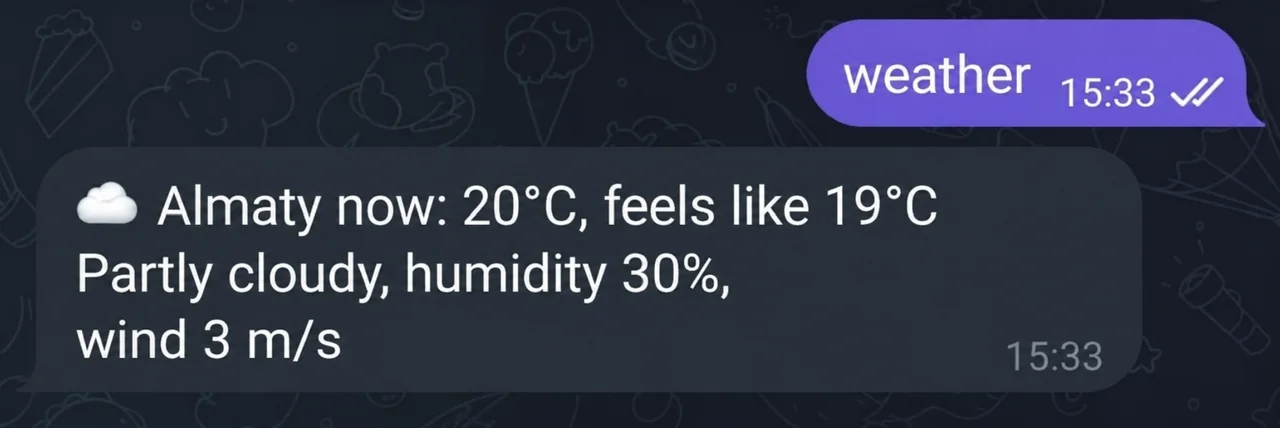
Weather. Write "weather in Almaty" — within a second you'll get the temperature, the "feels like", the wind, and a tip like "Take an umbrella 🌂". No need to open a separate app. You can ask by voice — the AI assistant recognizes audio and answers.
Rates. "How much is bitcoin", "dollar to tenge", "convert 500 euros to rubles" — the AI assistant answers with the current price and the 24-hour change. On the Basic plan indices, commodities and precious metals are also available. On the Pro plan rare cryptocurrencies are added, along with price alerts for each of them: for example, "tell me when bitcoin reaches $100,000" — and the AI assistant will write when it happens.
Reminders. The most underrated feature. No alarm clock or Google Calendar to open. "Remind me in 40 minutes to take my medicine", "remind me to buy groceries at 6 PM", "remind me 15 minutes before the meeting at 5 PM" — and the AI assistant messages you at the right moment, right there in your Telegram chat.
Email. "Show the latest emails", "find emails from Ivan", "delete all newsletters from [email protected]" — works with Gmail without opening a browser. You can send an email, reply, unsubscribe from a newsletter with one command message to the AI assistant. The "Google Workspace" module is available only on the Pro plan.
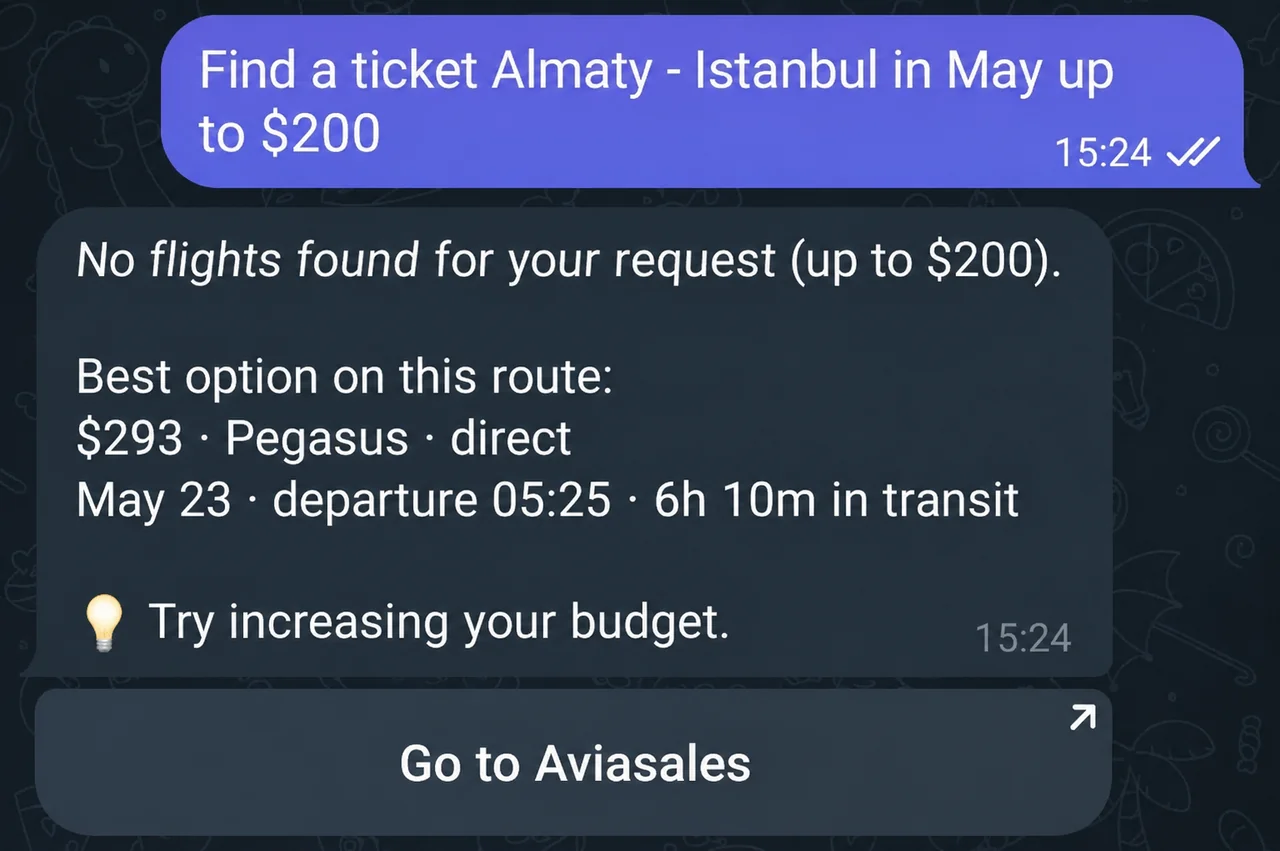
Flights. "Find a ticket Almaty — Istanbul in May under $200" — the AI assistant returns the top 5 options with dates, layovers or direct flights, and prices. You can specify: a particular airline, a night or a day departure. The module works on the Pro plan.
Search. Any question that requires up-to-date data — the AI assistant searches the internet itself, without you switching to a browser. You can drop a link — it'll read the article or site and retell the gist.
None of these tasks require special knowledge or settings. You write as usual — the AI assistant understands natural language.
How a personal AI assistant differs from a chatbot in an app
This question matters, because confusion here is common.
A chatbot in an app runs on scripts: you press a button, it pulls an answer from a database. These bots handle typical requests, but step outside the script and they're lost. They're the kind you meet in customer support and corporate tools.
A personal AI assistant is different. It understands context, holds a dialog, handles different tasks in one chat, and adapts to what you say. You don't pick an item in a menu — you talk. "What's the weather", "remind me to buy bread", "what did Ivan write in his last email", "what's the dollar rate now" — one chat, different tasks, without switching between apps.
Long-term memory works on both plans: the assistant remembers your name, city, job and preferences between sessions. You don't have to explain every time who you are, what you do and what matters to you.
Who needs it most — three portraits
A person who constantly switches between apps. A working day with email, calendar, search, notes, document analysis and so on. Everything in different places and scattered. The AI assistant gathers this in one chat — less switching, less lost focus.
A person with a bad habit of forgetting. Reminders through the AI assistant work differently from an alarm clock: they're easier to set (one message instead of several clicks), they arrive in the same chat where you already sit, they're harder to ignore.
A person who often searches for the same thing. The dollar or bitcoin rate every day. The weather in two cities before a trip. Tickets once a week or more often. When it turns into a habit — spending time switching between apps becomes physically noticeable.
What the AI assistant doesn't do — honestly
So nothing catches you off guard later.
It doesn't book flights — it only searches and shows options. It doesn't move money between accounts. It doesn't trade crypto for you. It doesn't work offline. It doesn't make voice calls.
If you're looking for a tool that will make decisions itself and perform actions in the real world — that's a different story, and it's still in the future. Today's AI assistant does one thing very well: it removes the extra steps between you and the information or action you need. That's already a lot.
The morning digest: one example that explains everything
There's a feature that illustrates the idea of a personal AI assistant well.
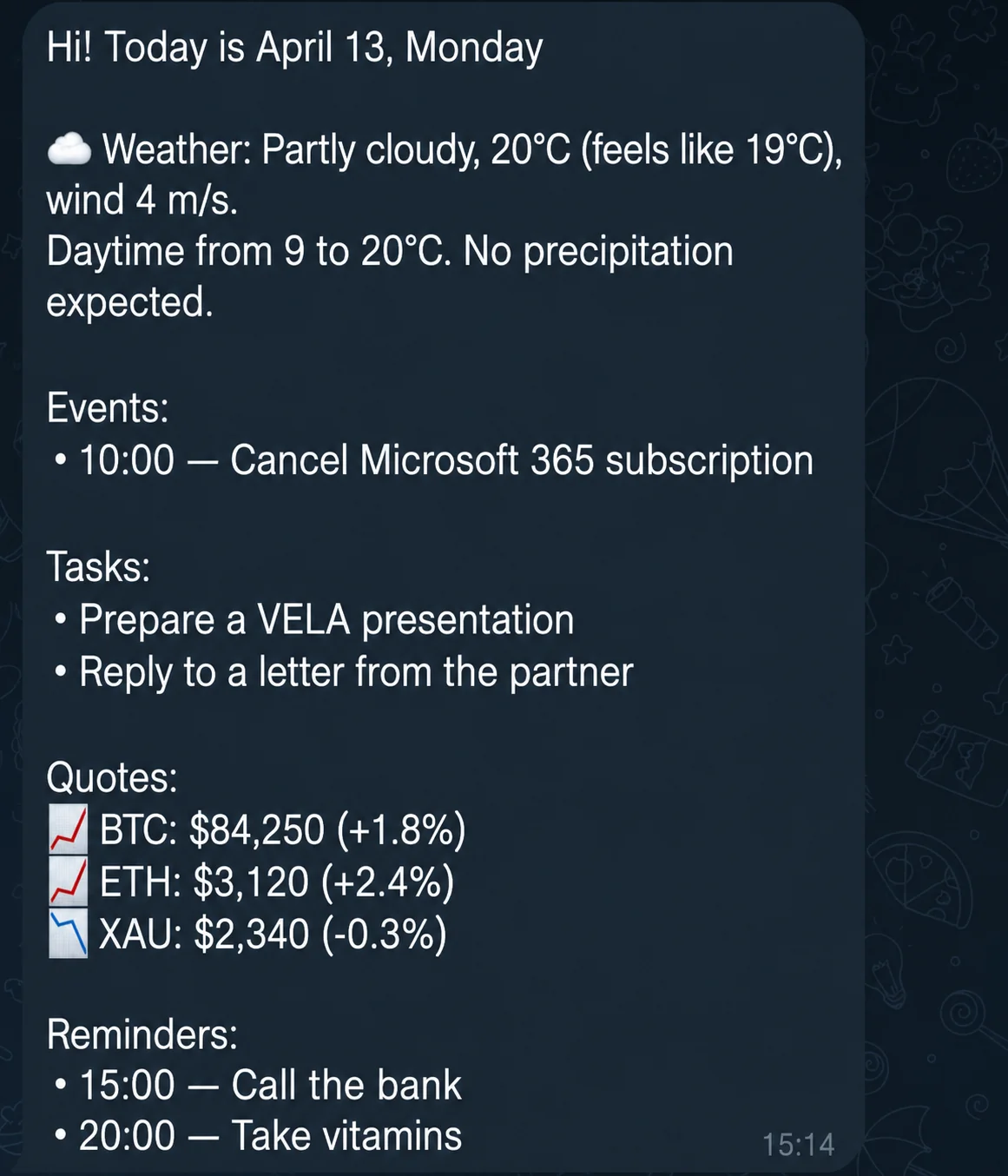
You set up the morning digest: the time (for example 08:00), a list of assets (BTC, USD/RUB, gold, oil, TSLA stock), and you activate the module. Every morning the AI assistant writes you a summary itself: the weather in your city, your reminders for today, the rates of the chosen assets. On the Pro plan events from Google Calendar are added.
You didn't ask. You just opened Telegram in the morning — and you already know the main things. That's the difference between an app that waits for you to open it and an AI assistant that works for you.
Thirty seconds instead of five minutes. Every day. That's the "why."
How to start
Setting up a personal Telegram bot on VELA takes five minutes: sign up on velabot.io, get a token from @BotFather in Telegram, and either pick a plan in the dashboard or just start on Basic, free forever. No card needed — Basic already covers weather, rates, reminders, search, photo analysis and more. That's enough to feel the difference on day one with your new AI assistant.