
Channel subscriptions in Telegram tend to pile up over time. Posts arrive in a jumble, the important ones get buried in the noise, and reading everything at once isn't realistic. The "Reading Telegram channels" module in VELA's AI assistant solves this differently: you request the latest posts for a certain period from the channel you need, whenever it's convenient — and get a short summary right in the chat.
The module is available on the Pro plan. It works by connecting your personal Telegram account.
How to connect your account
Connecting takes a few minutes. Everything happens in two places: the VELA dashboard and your chat with the AI assistant in Telegram.
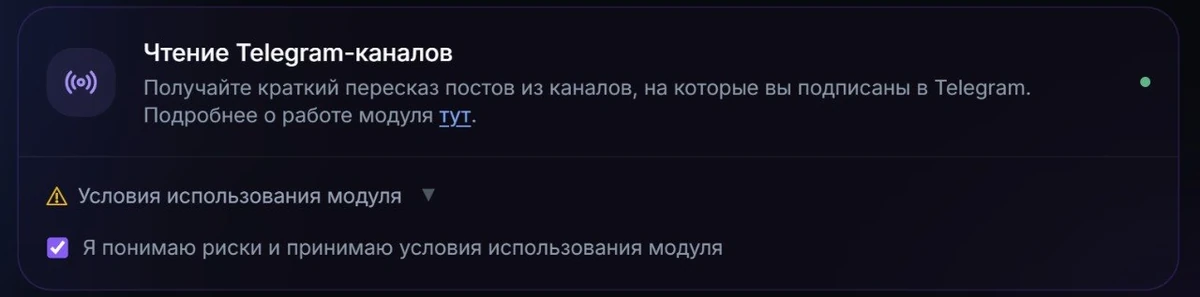
Open the VELA dashboard → "Modules" section → find the "Reading Telegram channels" card.
Accept the terms of use — the checkbox in the module card. Without this step the connection won't start.
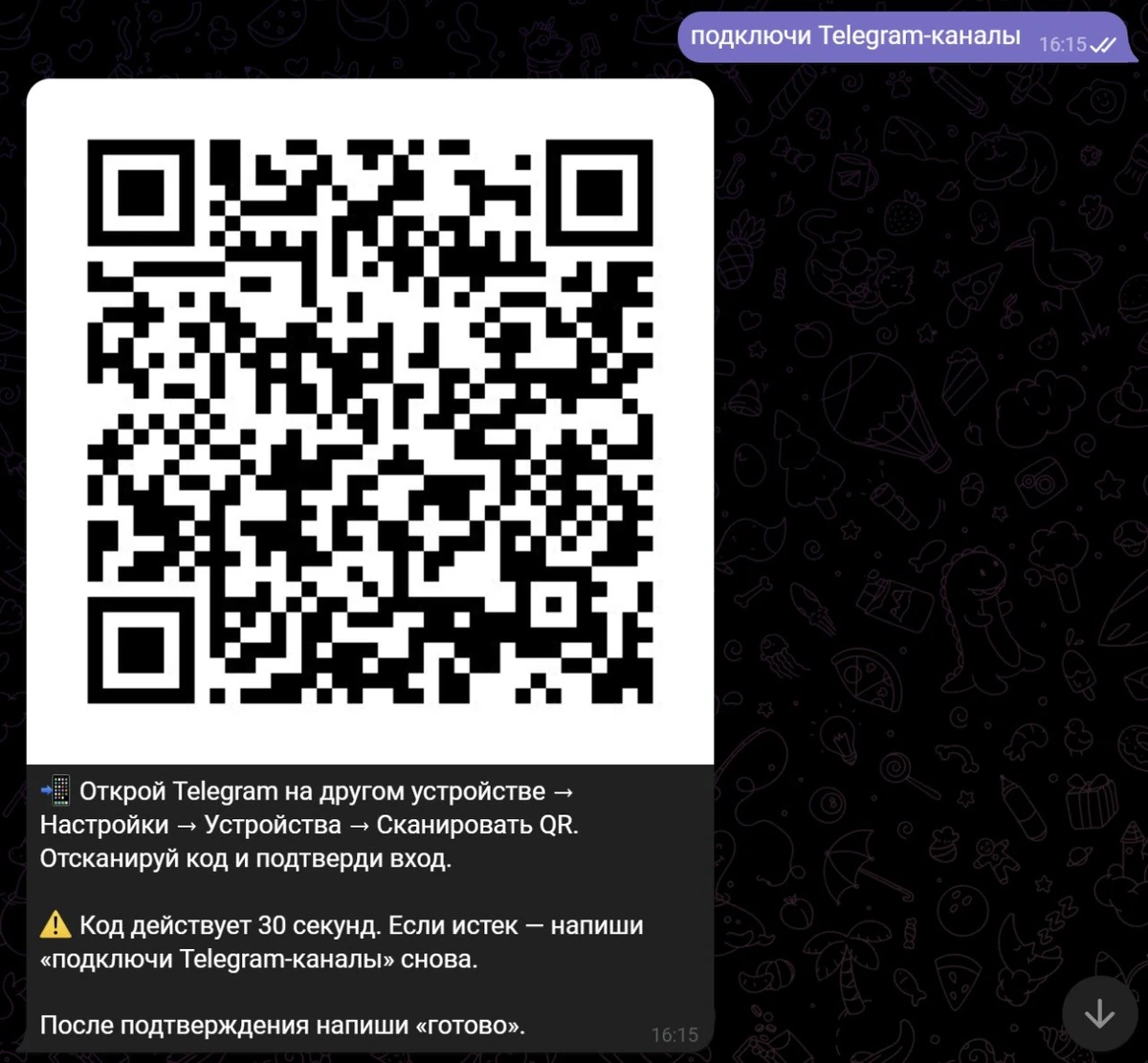
Write to the AI assistant in Telegram: "connect Telegram channels" — it'll show a QR code and instructions.
Open Telegram on another device → Settings → Devices → "Link Desktop Device" → point the camera at the QR code.
Telegram will ask whether it's you. Confirm that it's you.
Write "done" to the AI assistant — it'll confirm the connection is established.
The QR code is valid for 30 seconds. If you didn't make it in time — just write "connect Telegram channels" again, and the AI assistant will send a new one.
What the module does
After connecting your personal Telegram account, two commands are available.
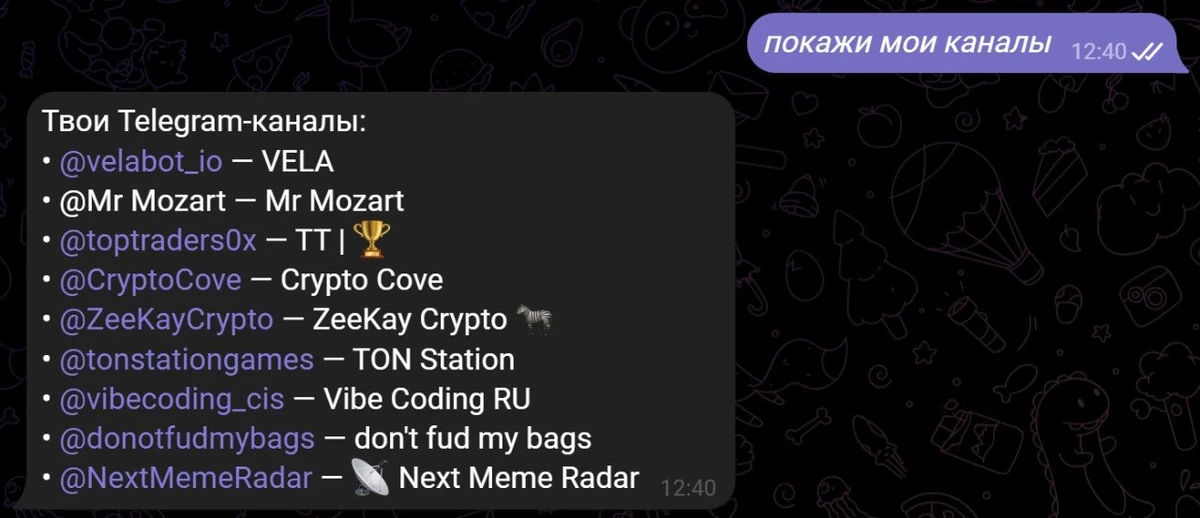
Channel list. Write "show my channels" — the AI assistant will return a list of the channels you're subscribed to. The list is cached for 1 hour: if you just subscribed to a new channel and don't see it in the list, wait a bit or repeat the command in an hour.
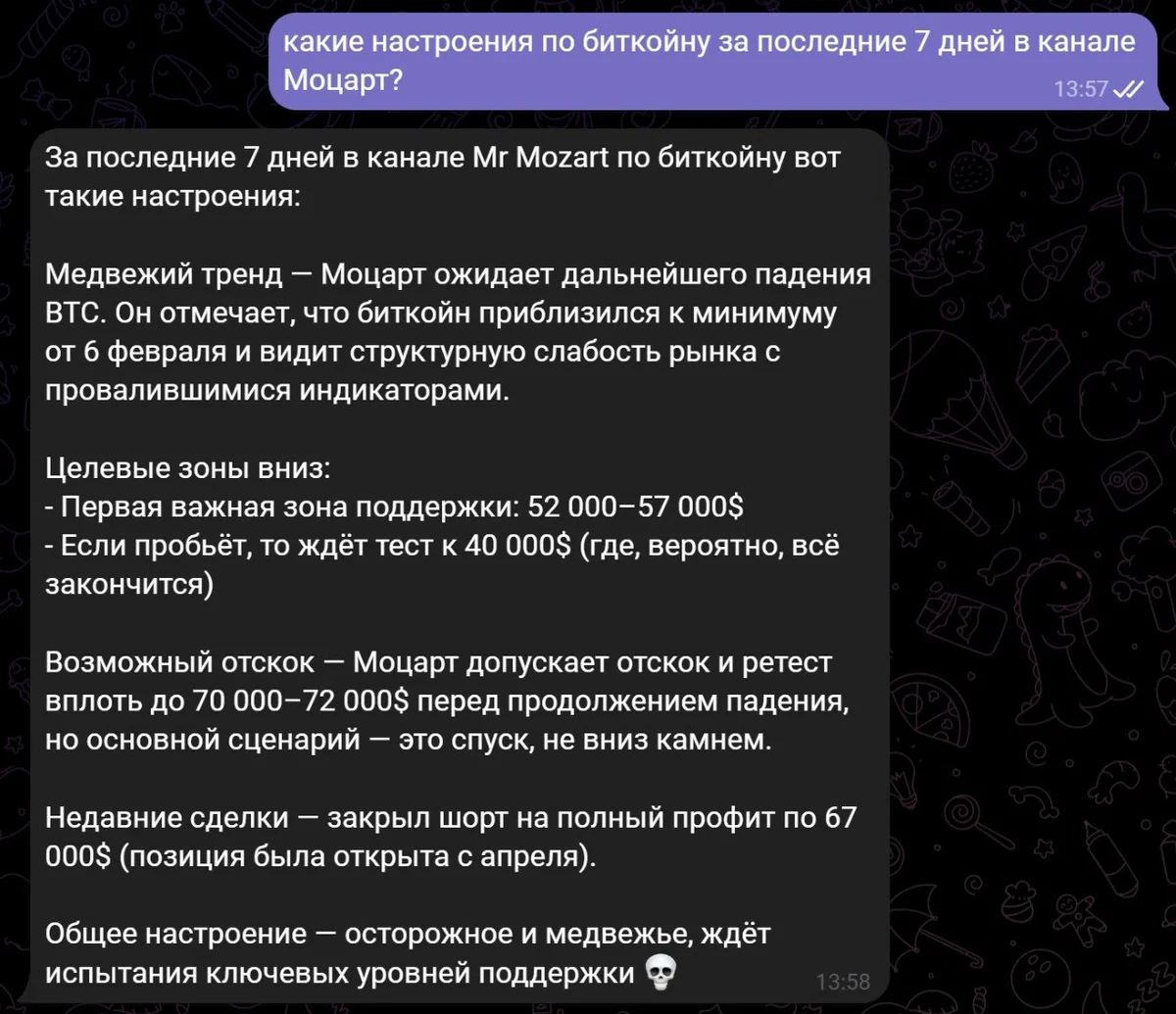
Summary of posts from a channel. Write the channel name or its @handle — the AI assistant will briefly tell you what they've been posting recently. To be more precise, specify the period: "for today", "for the last few days", "for the week", "for the month" — and get a short summary of the posts for that period.
Example requests:
"What's new in @vc_ru?"
"Tell me what the posts in @durov are about over the last week"
"Show my channels"
"What did @meduzaproject post today?"
Post summaries for the chosen period arrive as text in the same chat with the AI assistant — you can immediately ask a follow-up question, ask the AI assistant to translate it, save the text to a file, and so on.
How to disconnect your account
If you need to unlink your personal account and turn off the module — write "disconnect Telegram channels" to the AI assistant. VELA will delete the saved session — the AI assistant will lose access to your personal Telegram account. Reconnecting is again via QR code as before.
There's another way to turn the module off quickly: in the VELA dashboard, uncheck "I understand the risks and accept the module's terms of use" in the module card. The module will stop working immediately.
What the module can't do
An honest look at the limits, so nothing surprises you:
Doesn't read private messages and groups — only public and private channels you're subscribed to.
Doesn't send messages to channels — read-only.
Doesn't subscribe or unsubscribe from channels.
Doesn't support two-factor authentication (2FA) — if a 2FA password is enabled on your account, the connection won't go through.
Up to 15 channels in the list — if you have more, some won't be shown.
The post archive goes no deeper than 30 days per request. The volume is limited to about 50K characters of text.
Media files (photos, videos, documents from posts) aren't passed into the chat and aren't used for the summary.
About security
The module works through the user's personal Telegram account and the Telegram MTProto API. Connecting third-party apps through the Telegram API may conflict with Telegram's rules — VELA honestly warns about this at connection. Use it at your own discretion.
The session is stored encrypted at VELA until you unlink the account. To delete it — write "disconnect Telegram channels" to the AI assistant: VELA will erase its copy of the session and lose access to your Telegram. The "VELA Bot" entry in Telegram → Settings → Devices will remain — remove it manually if you wish.
Combos with other modules
A summary of Telegram channel posts can be the start of a chain. Having received a short digest, ask the AI assistant to send it to yourself or a friend by email, or save it to Google Drive in a document — all of this is available on the Pro plan together with the Google Workspace module.
It's also convenient to use this module in a Telegram group: if you've added the AI assistant to a work group, you can ask it right in the shared chat "@assistant_name what's new in @vc_ru today" — everyone in the group will see the reply.
FAQ
Is the module free or paid? The "Reading Telegram channels" module is available only on the Pro plan ($9/mo, paid by card or Telegram Stars). On Basic it's not available.
Do I need to enter my Telegram password? No. The connection happens via QR code. Phone number and password aren't entered.
If two-factor authentication (2FA) is enabled on the account — will the module work? No. 2FA isn't supported. If you have a Telegram cloud password set, the connection won't go through. You can temporarily disable 2FA, connect the module, then turn it back on — but that decision is up to you.
Can others see my channels through the AI assistant? No. The AI assistant responds only to its owner — the one who created the bot through @BotFather and connected it to VELA. Even if the AI assistant is added to a group, it performs channel-reading commands only for its owner.
Can I read private channels? Yes, if your personal account is subscribed to them — the AI assistant will see them in the list and be able to read and summarize their posts.