
Checking whether bitcoin hit the level you wanted, whether a stock dropped to your buy price, whether gold broke through a threshold, and so on — for that you usually open a separate app or site, search and scroll through quotes, set up notifications in the exchange's or aggregator's interface, and watch that it all works correctly and doesn't break on your phone at the crucial moment. The Price Alerts module in VELA's AI assistant handles this with one message right in Telegram: you write a price condition for an asset in plain words — the AI assistant monitors it in the background and messages you itself when the price reaches your target.
What the module does and which plan it's on
The Price Alerts module is available on the Pro plan ($9/mo, paid by card or Telegram Stars). It's not on the free Basic plan — it's one of the reasons to upgrade, alongside flight search, Google Workspace, image generation, and other useful capabilities of your personal AI assistant.
What the module can do:
Set an alert on any asset: cryptocurrencies, stocks, market indices, precious metals, oil, gas, and other commodities
Monitor the price in the background and message you in Telegram when the condition triggers
Accept names in English and as tickers: "bitcoin," "gold," "nasdaq," "ether," BTC, ETH, AAPL, GC=F, ^IXIC
Accept contract addresses for rare crypto tokens
Set the direction: rises to or falls to — if you don't specify, the AI assistant figures it out automatically from the context of your request
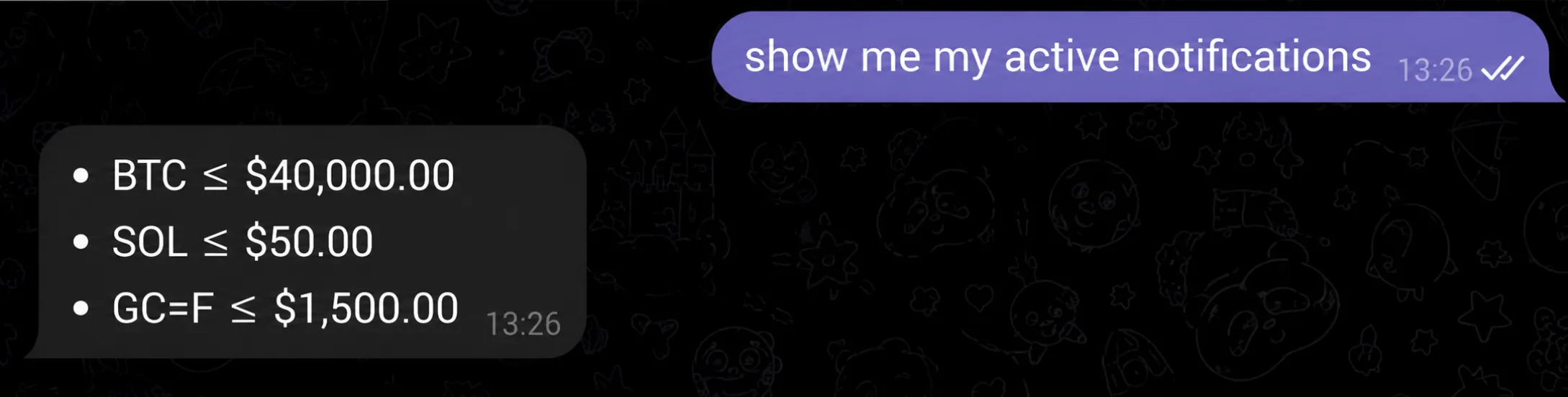
Show the list of active alerts
Cancel one alert, several, or all at once
The module is active right away on Pro — no extra settings in the dashboard required. Just write a request to your AI assistant in Telegram and you're set.
How to set it up
The Price Alerts module is one of several Pro modules that don't require connecting anything or entering tokens in the settings. After you upgrade to Pro, it works automatically.
All you need is to write a condition to your AI assistant in Telegram. The AI assistant recognizes the asset, direction, and target price, saves the alert, and starts monitoring in the background. When the condition triggers, it messages you in the chat itself.
If you want to see all your active alerts or delete the ones you don't need — also through the chat; no dashboard needed for that.
How to use it: example requests
The AI assistant understands natural language — no commands to memorize.
Set an alert:
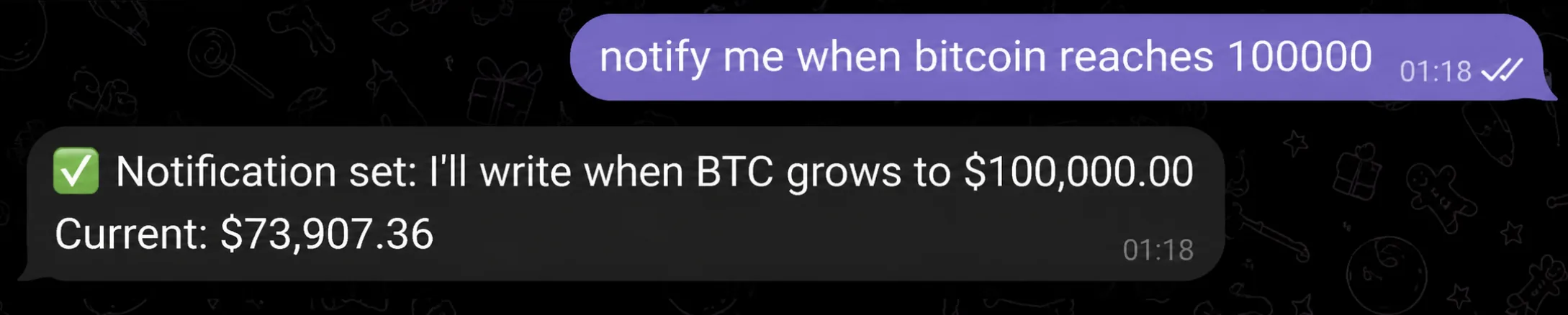
"Notify me when bitcoin reaches $100,000"
"Tell me when NVDA drops to $400"
"Alert on silver at $32"
"Message me when the S&P 500 breaks $5,500"
"Alert on Brent crude if it rises to $90"
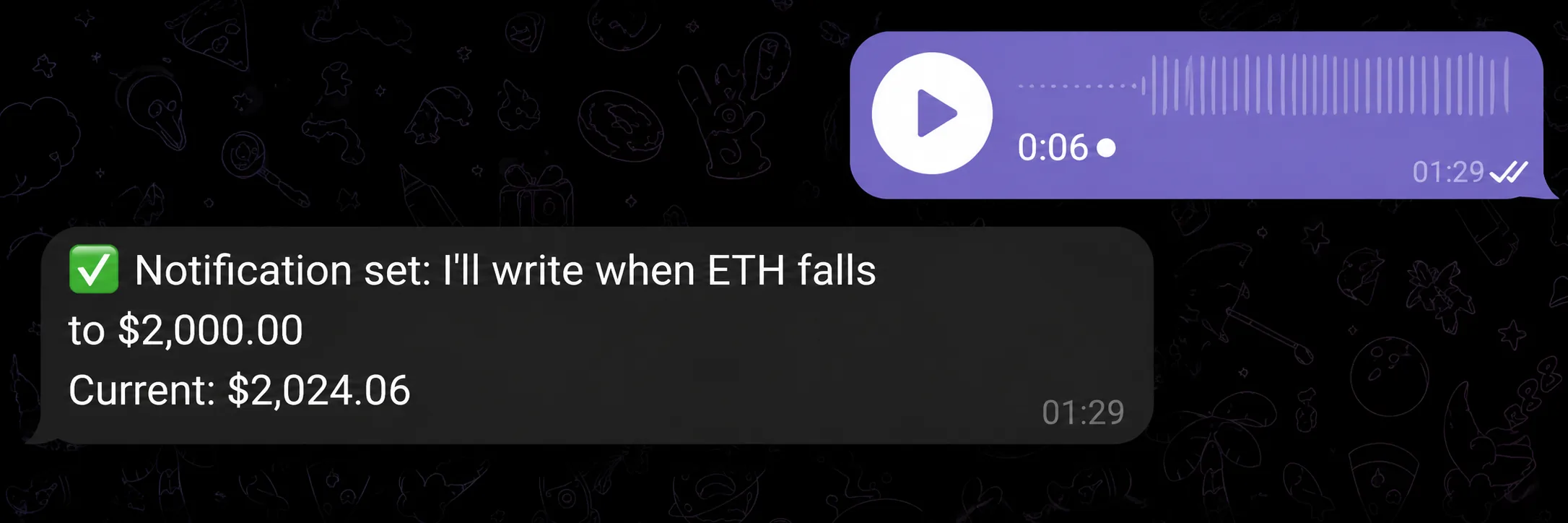
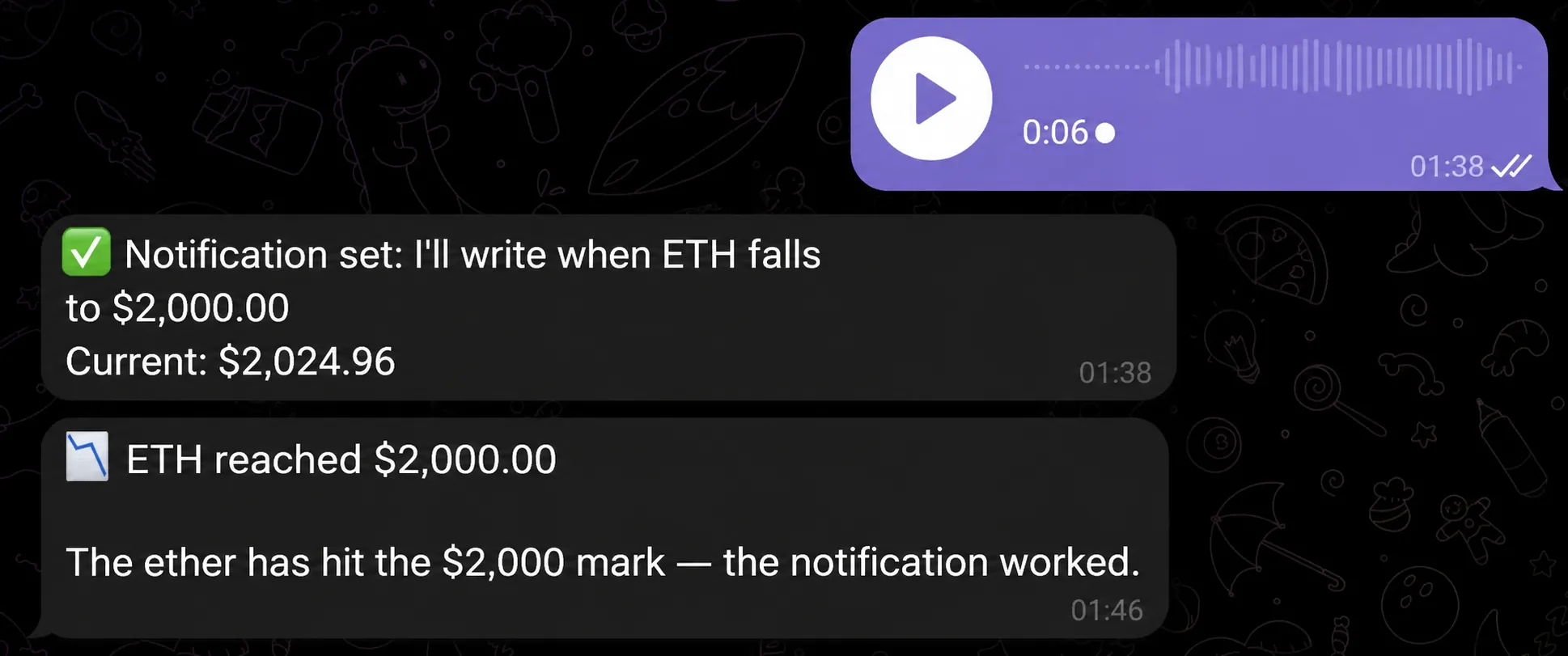
"When ETH falls to $2,000 — message me"
Manage alerts:
"Show my price alerts"
"Delete the bitcoin alert"
"Delete the alerts on solana and gold"
"Delete all price alerts"
The AI assistant confirms each alert and shows the condition that triggers it. If something was understood wrong, send a correction and it fixes it on the spot.
By voice
You don't have to type. The AI assistant recognizes voice messages and handles them just like text.
Dictate: "set an alert on gold when it falls to two thousand two hundred dollars" — and get a confirmation. If it mishears the asset, just send the ticker or name as text. Handy on the go, behind the wheel, or whenever you can't type.
Voice input works for all of VELA's AI assistant modules. If you're interested in tracking quotes without alerts — see the Indices, Commodities and Precious Metals quotes module: it's available on the free Basic plan and shows the current price on request.
What the module can't do
Clear limits — so there are no surprises:
Doesn't track flight prices. Price alerts work only for financial assets: crypto, stocks, indices, precious metals, commodities. There's no monitoring of flight prices.
Doesn't trade automatically. The AI assistant only notifies — no automatic buying or selling.
Doesn't draw charts or do technical analysis. It only watches the price and messages you when the condition is met.
Doesn't support complex conditions. For example, "notify me if bitcoin rises 5% in a day" — that type of condition isn't supported. Only a specific target price.
One chat instead of separate apps
Binance, Coinbase, TradingView, Investing.com, and other services and sites — each has its own mechanics, interface, push notifications, settings, and accounts. If you track assets across categories — crypto, stocks, and precious metals at the same time — that may well be several different services at once that you find convenient and like.
The price alerts module in VELA's AI assistant brings it all into one chat. You write a condition — monitoring is on. When the price triggers, you get a message right where you spend a lot of your time and what's always open and at hand — Telegram. Nothing to install, set up, or figure out separately.
FAQ
Which plan are price alerts on? Pro only ($9/mo or $7/mo billed yearly, paid by card or Telegram Stars). The free Basic plan doesn't have this module.
How many alerts can I set at once? Up to 20 active alerts at a time.
Which assets do alerts work on? Cryptocurrencies (including rare tokens by ticker or contract address), stocks, market indices (S&P 500, NASDAQ, etc.), precious metals (gold, silver, platinum, palladium), oil, gas, and other commodities. Flights aren't supported.
What happens when an alert triggers? The AI assistant sends you a message in the Telegram chat that the condition was met. The alert is automatically removed after that — to monitor again with a new condition, set it up anew.
Do I need to configure anything in the dashboard? No. After you upgrade to Pro, the module is active automatically. Everything is managed through the chat with the AI assistant.