
Claude by Anthropic is one of the most capable language models around today. But getting to it outside the browser or the native app — right inside Telegram — sounds like a project to most people: surely you need to code, dig through settings, wire things up, then test and fix whatever breaks. In reality there's a far simpler path, with no code and no technical know-how. The VELA platform turns an ordinary Telegram bot into a full-fledged AI assistant with Claude under the hood — in about five minutes, with no servers, no code, and no fiddly setup.
Let's draw the line up front. Claude on its own is a language model: it can talk, explain, write, and plenty more. An AI assistant is Claude plus real actions and skills: weather forecasts, exchange rates, reminders, email, calendar, flight search, and more. That combination is exactly what VELA hands to everyone — whether you want AI for conversation, analysis, and web search, or for the complex, repetitive, everyday tasks.
How Claude in Telegram differs from using Claude directly
Claude is available on its own, of course: the website has a free tier and a paid plan ($20/mo) with integrations, advanced tools, and automations. But that's a separate product built for power users — you work in the browser or a native app, keep your own account, and get to grips with the models, limits, settings, tools, and capabilities. It's designed first and foremost for working at a computer (the Claude Code and Claude Cowork sections are made for exactly that).
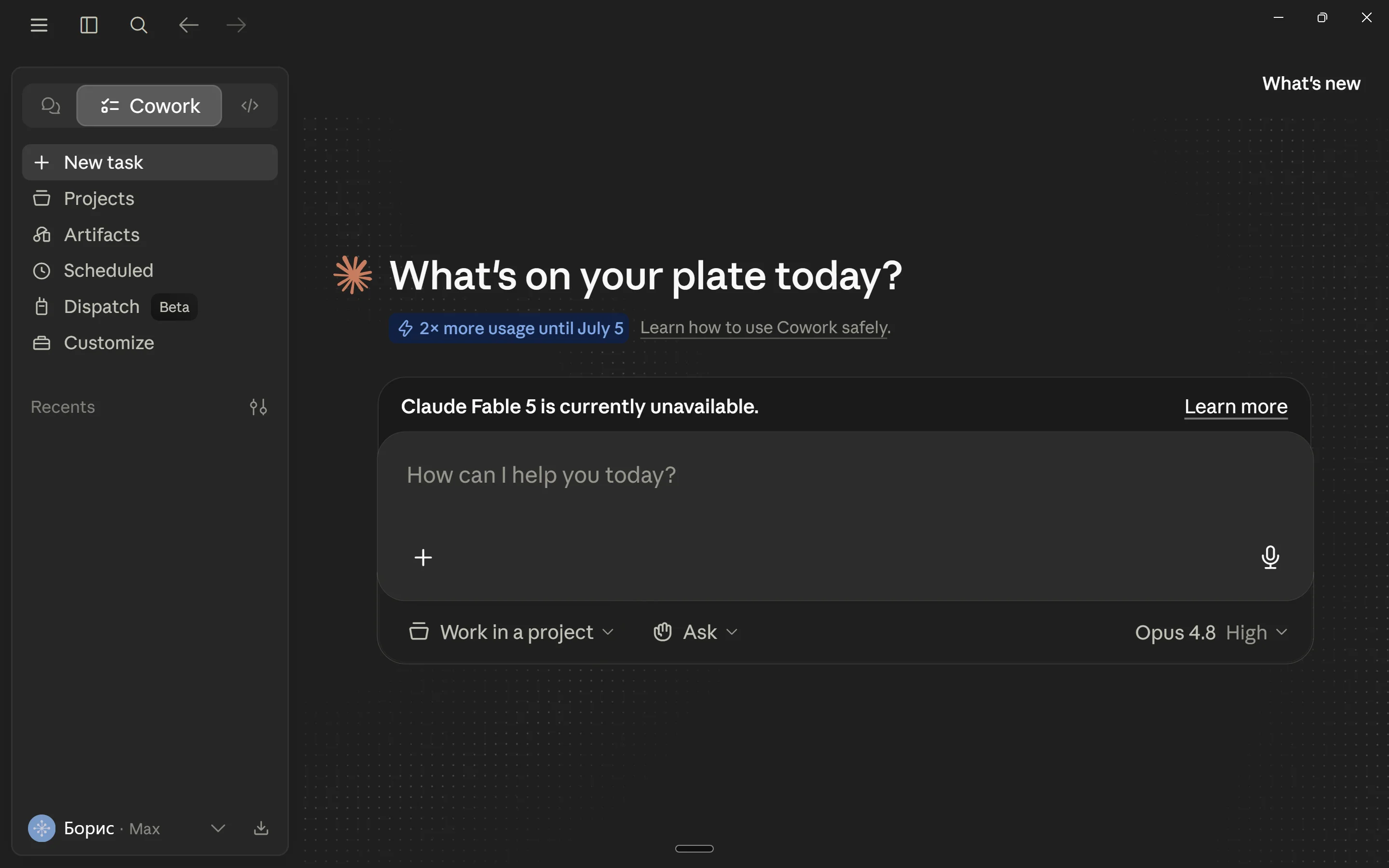
VELA gives you Claude where you already chat and work every day — in Telegram, through a personal AI assistant. No extra browser tab, no new account, nothing to install, no interfaces to learn. The difference comes down to convenience and purpose.
If all you want is a free chat with Claude plus basic tools like web search and data analysis, and you want it from Telegram, VELA takes that on: after a quick sign-up and connecting the Telegram bot you created (instructions at velabot.io), you can use Claude straight from your favorite messenger, in a chat with your own AI assistant. And the free Basic plan already bundles in handy modules and features beyond plain chat that genuinely help in daily life and work.
Once it's connected, you talk to Claude through your Telegram assistant in plain words or by voice — no special commands (apart from the system ones in the bot's menu). One thing worth being upfront about: VELA's plans come with limits, and there are restrictions on model choice. The free Basic plan uses the Haiku model only. Pro adds Sonnet 4.6 for the harder tasks. You never have to understand the model lineup or switch between them by hand — it all just works, out of the box and under the hood.
How to connect Claude in Telegram
You don't need to be a programmer or know the technical details of how services and apps talk to each other. The whole thing runs in the background — through the VELA site and Telegram. Let's walk through it.
First, sign up at velabot.io — with email or Google. Next, the platform asks you to connect your Telegram bot (instructions for creating one are on the site too). It sounds technical, but in practice it's a few simple taps inside the messenger.
Open Telegram and find @BotFather — Telegram's official tool for creating bots. Send it /newbot, pick a name and a username (it has to end in "bot"). BotFather gives you a token — a long string of characters. Copy it and paste it into the field on the VELA site during sign-up.
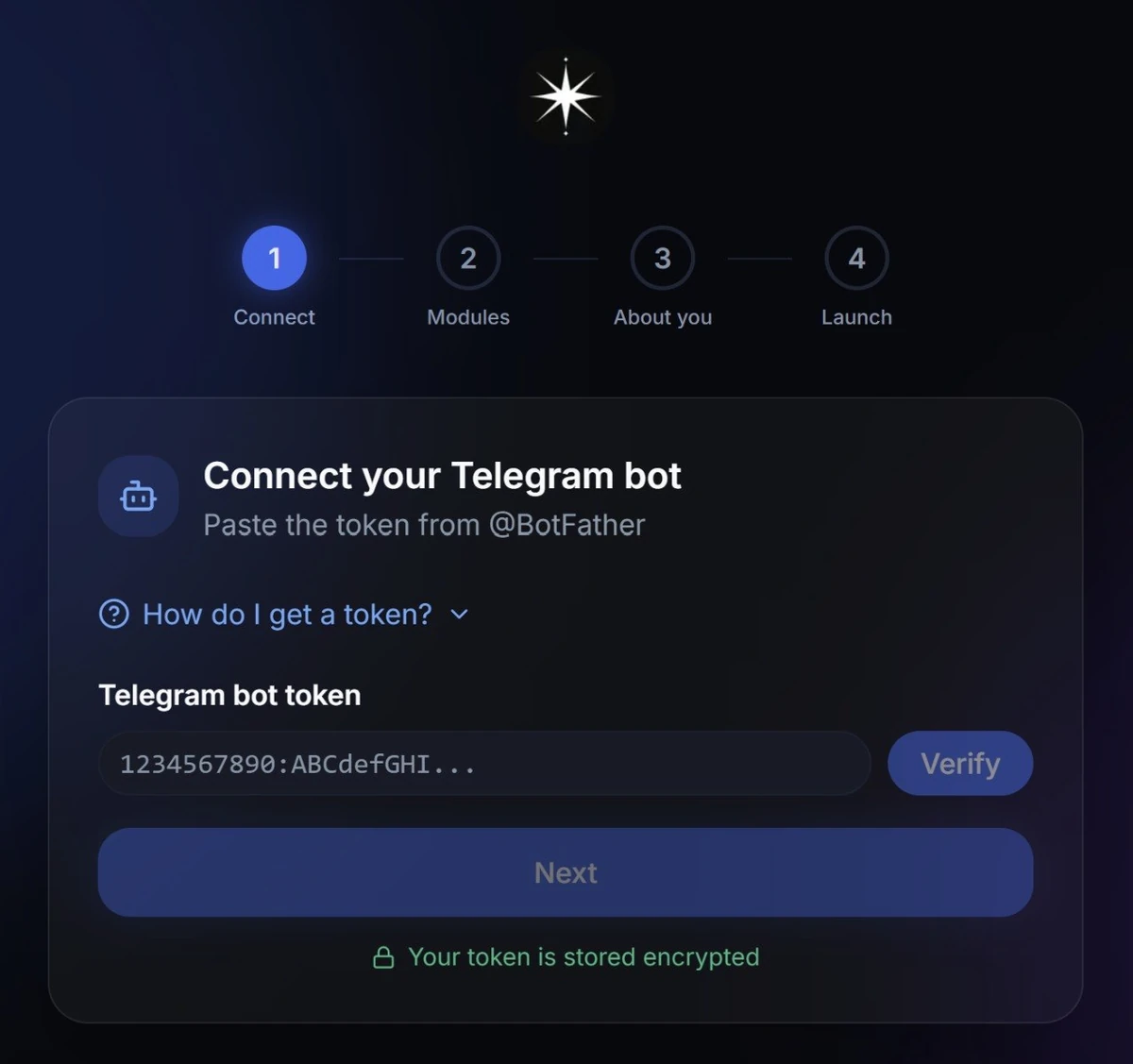
Once the token is verified and you've filled in a few details about yourself (name, city, base currency, and time zone), all that's left is to hit "Launch." The platform handles the rest automatically in a couple of seconds. That's it — your personal AI assistant powered by Claude by Anthropic is ready to go.
Each user ends up with their own personal bot: its own name, avatar, and username. It isn't a shared AI agent for a million people — it's a personal AI assistant under your brand, with the style you set.
What the Claude-powered AI assistant can do
The free Basic plan gives you plenty right away — no card needed to sign up. Type or send a voice message in plain words, with no slash commands (other than the ones in the bot's menu).
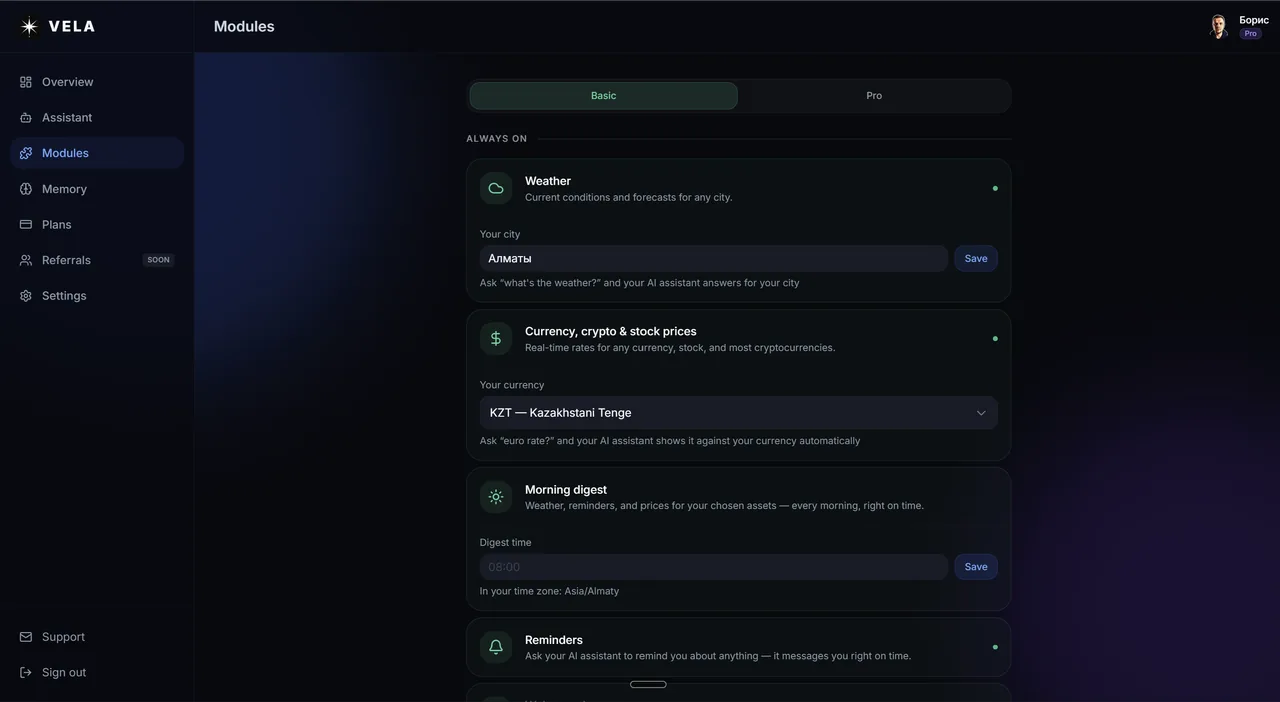
Weather — "weather in Istanbul", "will I need a jacket in Prague tomorrow". With a forecast up to 5 days out and advice for the moment (grab an umbrella, dress warmer, and so on)
Currency, crypto, and stock prices — "USD rate", "how much is Tesla", "convert 500 euros to dollars", "Bitcoin price"
Reminders — "remind me in 2 hours to take my medicine", "remind me tomorrow at 9 AM to prep the report"
Web search — "find news about Elon Musk from the past week", always with up-to-date data
Photo and document analysis — send a photo, screenshot, image, or file and ask it to pull out the text, describe the picture or the document, or count the calories from a photo of your meal
Morning digest — weather, reminders, and asset prices in a single message, at a set time every day
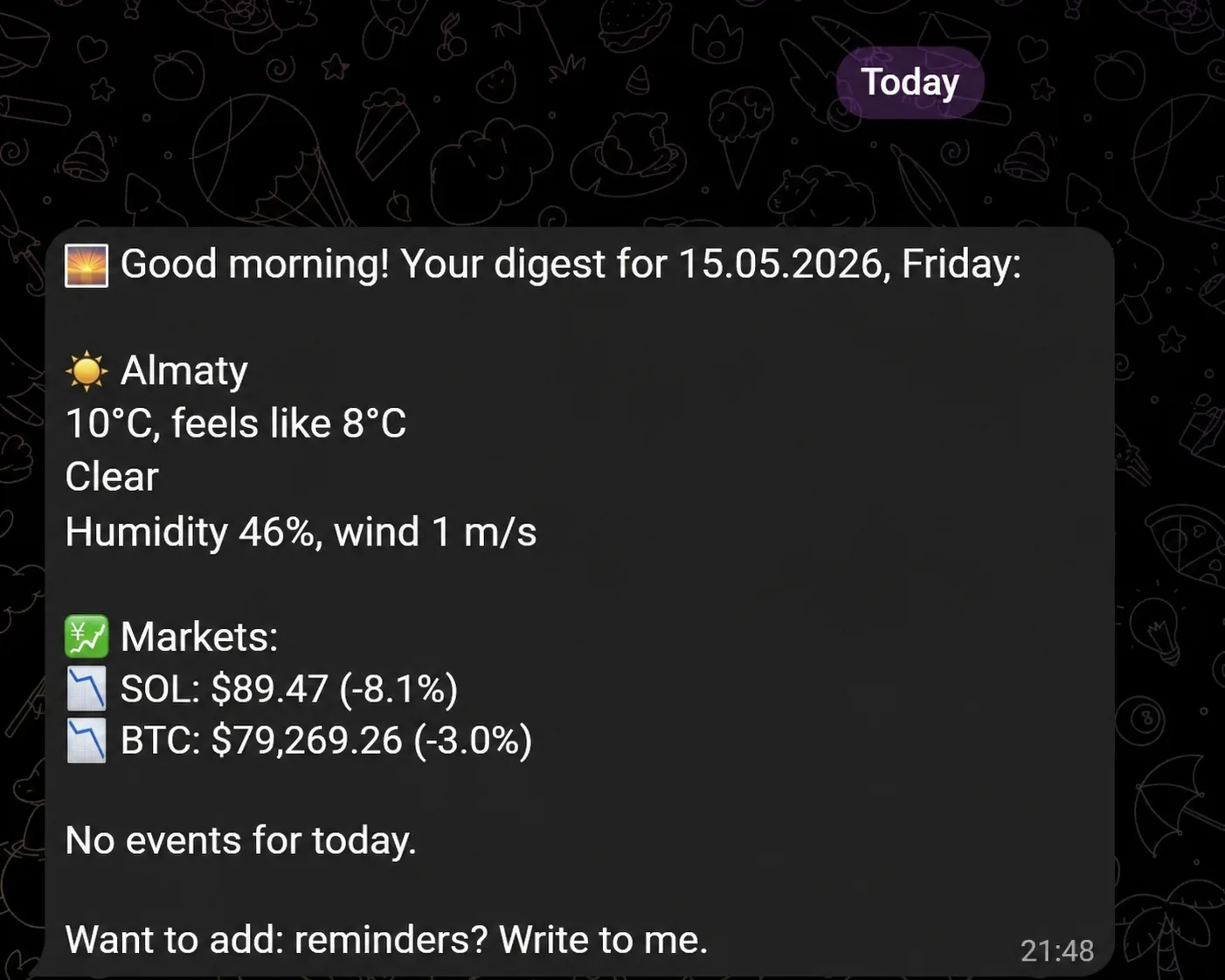
Requests are written in plain words — no rigid phrasing required. Conversation memory works like this: on Basic, the last 30 messages; on Pro, 100.
What Pro adds
The Pro plan ($9/mo, or $7/mo billed annually) lifts the daily message cap and unlocks modules for heavier tasks:
Flight search — "find a flight Moscow — Dubai in May under $300", including domestic routes and round trips, with filters by time, dates, and airline
Price alerts — the AI assistant watches an asset's price in the background and messages you in the chat when the condition you set is hit
Google Workspace — Gmail, Calendar, Tasks, and Drive through a single connection in your dashboard
Advanced crypto search — rare tokens by ticker or contract address
Image generation from a text prompt
Telegram channel reading — a summary of what a channel has posted over a period you choose
On Pro, Claude Sonnet 4.6 steps in for the complex tasks — it's stronger at analyzing documents and at multi-step work like handling email and the calendar.
A ready-made assistant, or a custom bot
VELA gives you a ready-made personal AI assistant with a set of modules for everyday tasks — it works the moment you connect your bot to the platform, with minimal extra setup.
If you need a bot or a custom AI agent for a specific business scenario, that's a different, made-to-order job — you can scope it out and commission it from Vibecraft.
FAQ
Do I need to know how to code to connect Claude in Telegram? No. The whole process — signing up on the site, creating a bot through @BotFather in Telegram, and pasting the token into the platform — is everything that's asked of you. On average it takes about 5 minutes.
How is this different from a regular chat with Claude? VELA opens Claude up right inside Telegram and adds real actions and skills on top: reminders, weather, rates, flight search, working with Gmail and Calendar, and much more. You get a personal assistant in your messenger that both answers questions and gets things done — for work and for life.
Can I use it for free? Yes. The Basic plan includes weather, currency and crypto rates, reminders, web search, photo and document analysis, the morning digest, and other modules — no card required, no hidden fees or strings attached. There is a limit, though: 15 messages a day. Moving up to Pro makes sense once you hit it, or when you need Google Workspace, flight search, and the other advanced modules.
Which Claude model does it use? On Basic, Claude Haiku for quick replies. On Pro, Claude Sonnet for the complex tasks (document analysis, working with Google) plus Haiku for the simple ones. The model is chosen automatically to match the task — no manual switching.